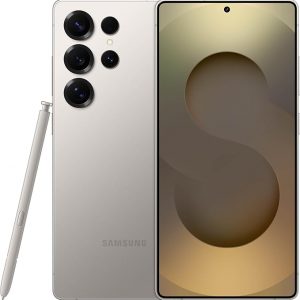
Comparar“Samsung Galaxy S25 Ultra, 256GB Smartphone, Unlocked Android, AI Night Mode Camera, Snapdragon 8 Elite Fast Processor, 5000mAh Battery, Built-in S Pen, 2025, US 1 Yr Warranty, Titanium Gray” ha sido añadido a la lista de comparación
El Galaxy S26 Ultra automatiza tu vida con la potencia del Galaxy AI.³ Evita a los espectadores no deseados con la pantalla de privacidad integrada. Se puede preajustar para que se encienda instantáneamente al recibir notificaciones, escribir contraseñas o usar aplicaciones específicas.¹ También hay Photo Assist² que edita fotos mágicamente en segundos. Rellena los elementos que faltan y mezcla naturalmente objetos con iluminación y sombras existentes con facilidad. Disparar por la noche ya no es un desafío. Nightography se ajusta en tiempo real para iluminar videos y fotos con poca luz. La función de captura de selfies más amplia obtiene la toma de grupo correcta de una sola vez. Gracias a la cámara frontal y la lente más anchas6, no necesitas estirarte todo el camino hacia atrás. También significa menos retomas. Si estás buscando generar rápidamente ilustraciones divertidas y dibujos animados en 3D para fondos de pantalla personalizados, pegatinas y más⁴, Creative Studio da vida a tus ideas. Hacer todo posible es nuestro procesador más rápido, suave y potente hasta la fecha. Acelerando las tareas diarias, Now Nudge con Galaxy AI funciona detrás de escena para priorizar aplicaciones, recordatorios y notificaciones. Tendrás la información más relevante justo cuando la necesites. Simplificando aún más tu vida, Samsung Wallet almacena de forma segura tarjetas de pago, tarjetas de embarque¹⁰ y más. Deja tu voluminosa cartera en casa. Ayudándote a mantenerte al día con las demandas diarias, el Galaxy S26 Ultra está listo para carga súper rápida 3.0. Puedes recargar en un instante para hacer más. Para aprovechar al máximo tu S26 Ultra, empareja con Galaxy Buds4 Pro11 para escuchar música como nunca antes con Hi-Res Audio.8 ¹Debe estar habilitado en la configuración. ²Requiere el inicio de sesión de la cuenta de Samsung y conexión a Internet. La edición con Photo Assist da como resultado una foto redimensionada de hasta 12MP. ³Las características básicas de Galaxy AI proporcionadas por Samsung son gratuitas. Cualquier función de IA mejorada de Samsung y todas las funciones de IA de terceros están sujetas a diferentes términos y pueden estar sujetas a tarifas. (Las características básicas de Galaxy AI se enumeran en "Inteligencia avanzada" en los Términos y condiciones de Samsung Services). ⁴Requiere una conexión a Internet/inicio de sesión de la cuenta de su. Las imágenes editadas pueden cambiar el tamaño y tendrán una marca de agua AI visible. No se garantiza la precisión y fiabilidad de la salida generada. Para obtener información sobre la ubicación, se debe permitir el permiso de ubicación. 6En comparación con la serie S25. Requiere un cargador súper rápido de 60 W (se vende por separado). La velocidad de carga depende del nivel de la batería y otros factores; use solo cargadores aprobados por Samsung; no use cargadores o cables desgastados o dañados; el cargador o cable incompatible puede causar lesiones graves o daños a su dispositivo. Requiere la configuración inicial a través de la configuración o la aplicación Dale Wear en un teléfono inteligente Galaxy/Android compatible; consulta Samsung.com para ver compatibilidad. Requiere una tarjeta NFC compatible de un banco participante. Se aplican requisitos y limitaciones específicos a cada función de la cartera de la monedera. Consulte las preguntas frecuentes sobre la cartera de samsung.com para obtener más información. ¹⁰ Se aplican requisitos y limitaciones específicos a cada función de Wallet. Consulta las preguntas frecuentes sobre la cartera de samsung.com para obtener más información. ¹¹Los productos se venden por separado.
Galaxy S26 Ultra automates your life with the power of Galaxy AI.³ Prevent unwanted onlookers with the built-in privacy display. It can be preset to instantly turn on when receiving notifications, typing passwords, or using specific apps.¹ There’s also Photo Assist2, which magically edits photos in seconds. Fill in missing elements and naturally blend objects with existing lighting and shadows with ease. SShooting at night is no longer a challenge. Nightography adjusts in real time to illuminate low light videos and photos. The Wider Selfie Capture feature gets the right group shot in one go. Thanks to the wider⁶ front camera and lens, you don’t need to stretch all the way back. It also means less retakes. If you’re looking to quickly generate playful illustrations and 3D cartoons for custom wallpapers, stickers, and more4, the Creative Studio brings your ideas to life. Making everything possible is our fastest, smoothest and most powerful processor yet. Speeding up daily tasks, Now Nudge with Galaxy AI works behind the scenes to prioritize apps, reminders, and notifications. You’ll have the most relevant information⁵ right when you need it. Further simplifying your life, Samsung Wallet securely stores payment cards, boarding passes⁹, and more. Leave your bulky wallet at home. Helping you keep up with daily demands, Galaxy S26 Ultra is Super-Fast Charging 3.0 ready⁷. You can recharge in a snap to do more. To get the most out of your S26 Ultra, pair with Galaxy Buds4 Pro¹⁰ to hear music like never before with Hi-Res Audio.⁸ ¹Must be enabled in settings. ²Requires Samsung account login and internet connection. Editing with Photo Assist results in a resized photo up to 12MP. ³Galaxy AI basic features provided by Samsung are free. Any Samsung enhanced AI features and all third-party AI features are subject to different terms and may be subject to fees. (Galaxy AI basic features are listed under ""Advanced intelligence"" in Samsung Services Terms and Conditions.) ⁴Requires an internet connection / Samsung account login. Edited images may be resized and will have visible AI watermark. The accuracy and reliability of the generated output is not guaranteed. ⁵For location information, Location permission should be allowed. ⁶As compared to S25 Series. ⁷Requires 60W Super Fast Charger (sold separately). Charging speed depends on battery level and other factors; use only Samsung-approved chargers; do not use any worn or damaged chargers or cables; incompatible charger or cable can cause serious injuries or damage to your device. ⁸Requires initial setup via settings or Samsung Wear app on a compatible Galaxy/Android smartphone; see Samsung.com for compatibility. ⁹Requires a compatible NFC card from a participating bank. Specific requirements and limitations apply to each Samsung Wallet feature.See samsung.com Wallet FAQ for more information. ¹⁰Products sold separately.
Galaxy S26 Ultra automates your life with the power of Galaxy AI.³ Prevent unwanted onlookers with the built-in privacy display. It can be preset to instantly turn on when receiving notifications, typing passwords, or using specific apps.¹ There’s also Photo Assist² which magically edits photos in seconds. Fill in missing elements and naturally blend objects with existing lighting and shadows with ease. Shooting at night is no longer a challenge. Nightography adjusts in real time to illuminate low light videos and photos. The Wider Selfie Capture feature gets the right group shot in one go. Thanks to the wider⁶ front camera and lens, you don’t need to stretch all the way back. It also means less retakes. If you’re looking to quickly generate playful illustrations and 3D cartoons for custom wallpapers, stickers, and more⁴, the Creative Studio brings your ideas to life. Making everything possible is our fastest, smoothest and most powerful processor yet. Speeding up daily tasks, Now Nudge with Galaxy AI works behind the scenes to prioritize apps, reminders, and notifications. You’ll have the most relevant information⁵ right when you need it. Further simplifying your life, Samsung Wallet securely stores payment cards⁹, boarding passes¹⁰, and more. Leave your bulky wallet at home. Helping you keep up with daily demands, Galaxy S26 Ultra is Super-Fast Charging 3.0 ready⁷. You can recharge in a snap to do more. To get the most out of your S26 Ultra, pair with Galaxy Buds4 Pro11 to hear music like never before with Hi-Res Audio.⁸ ¹Must be enabled in settings. ²Requires Samsung account login and internet connection. Editing with Photo Assist results in a resized photo up to12MP. ³Galaxy AI basic features provided by Samsung are free. Any Samsung enhanced AI features and all third-party AI features are subject to different terms and may be subject to fees. (Galaxy AI basic features are listed under ""Advanced intelligence"" in Samsung Services Terms and Conditions.) ⁴Requires an internet connection / Samsung account login. Edited images may be resized and will have visible AI watermark. The accuracy and reliability of the generated output is not guaranteed. ⁵For location information, Location permission should be allowed. ⁶As compared to S25 Series. ⁷Requires 60W Super Fast Charger (sold separately). Charging speed depends on battery level and other factors; use only Samsung-approved chargers; do not use any worn or damaged chargers or cables; incompatible charger or cable can cause serious injuries or damage to your device. ⁸Requires initial setup via settings or Samsung Wear app on a compatible Galaxy/Android smartphone; see Samsung.com for compatibility. ⁹Requires a compatible NFC card from a participating bank. Specific requirements and limitations apply to each Samsung Wallet feature. See samsung.com Wallet FAQ for more information. ¹⁰Specific requirements and limitations apply to each Samsung Wallet feature.See samsung.com Wallet FAQ for more information. ¹¹Products sold separately.
Galaxy S26 Ultra automates your life with the power of Galaxy AI.³ Prevent unwanted onlookers with the built-in privacy display. It can be preset to instantly turn on when receiving notifications, typing passwords, or using specific apps.¹ There’s also Photo Assist² which magically edits photos in seconds. Fill in missing elements and naturally blend objects with existing lighting and shadows with ease. Shooting at night is no longer a challenge. Nightography adjusts in real time to illuminate low light videos and photos. The Wider Selfie Capture feature gets the right group shot in one go. Thanks to the wider⁶ front camera and lens, you don’t need to stretch all the way back. It also means less retakes. If you’re looking to quickly generate playful illustrations and 3D cartoons for custom wallpapers, stickers, and more⁴, the Creative Studio brings your ideas to life. Making everything possible is our fastest, smoothest and most powerful processor yet. Speeding up daily tasks, Now Nudge with Galaxy AI works behind the scenes to prioritize apps, reminders, and notifications. You’ll have the most relevant information⁵ right when you need it. Further simplifying your life, Samsung Wallet securely stores payment cards⁹, boarding passes¹⁰, and more. Leave your bulky wallet at home. Helping you keep up with daily demands, Galaxy S26 Ultra is Super-Fast Charging 3.0 ready⁷. You can recharge in a snap to do more. To get the most out of your S26 Ultra, pair with Galaxy Buds4 Pro11 to hear music like never before with Hi-Res Audio.⁸ ¹Must be enabled in settings. ²Requires Samsung account login and internet connection. Editing with Photo Assist results in a resized photo up to12MP. ³Galaxy AI basic features provided by Samsung are free. Any Samsung enhanced AI features and all third-party AI features are subject to different terms and may be subject to fees. (Galaxy AI basic features are listed under ""Advanced intelligence"" in Samsung Services Terms and Conditions.) ⁴Requires an internet connection / Samsung account login. Edited images may be resized and will have visible AI watermark. The accuracy and reliability of the generated output is not guaranteed. ⁵For location information, Location permission should be allowed. ⁶As compared to S25 Series. ⁷Requires 60W Super Fast Charger (sold separately). Charging speed depends on battery level and other factors; use only Samsung-approved chargers; do not use any worn or damaged chargers or cables; incompatible charger or cable can cause serious injuries or damage to your device. ⁸Requires initial setup via settings or Samsung Wear app on a compatible Galaxy/Android smartphone; see Samsung.com for compatibility. ⁹Requires a compatible NFC card from a participating bank. Specific requirements and limitations apply to each Samsung Wallet feature. See samsung.com Wallet FAQ for more information. ¹⁰Specific requirements and limitations apply to each Samsung Wallet feature.See samsung.com Wallet FAQ for more information. ¹¹Products sold separately.
Galaxy S26 Ultra automates your life with the power of Galaxy AI.³ Prevent unwanted onlookers with the built-in privacy display. It can be preset to instantly turn on when receiving notifications, typing passwords, or using specific apps.¹ There’s also Photo Assist² which magically edits photos in seconds. Fill in missing elements and naturally blend objects with existing lighting and shadows with ease. Shooting at night is no longer a challenge. Nightography adjusts in real time to illuminate low light videos and photos. The Wider Selfie Capture feature gets the right group shot in one go. Thanks to the wider⁶ front camera and lens, you don’t need to stretch all the way back. It also means less retakes. If you’re looking to quickly generate playful illustrations and 3D cartoons for custom wallpapers, stickers, and more⁴, the Creative Studio brings your ideas to life. Making everything possible is our fastest, smoothest and most powerful processor yet. Speeding up daily tasks, Now Nudge with Galaxy AI works behind the scenes to prioritize apps, reminders, and notifications. You’ll have the most relevant information⁵ right when you need it. Further simplifying your life, Samsung Wallet securely stores payment cards⁹, boarding passes¹⁰, and more. Leave your bulky wallet at home. Helping you keep up with daily demands, Galaxy S26 Ultra is Super-Fast Charging 3.0 ready⁷. You can recharge in a snap to do more. To get the most out of your S26 Ultra, pair with Galaxy Buds4 Pro11 to hear music like never before with Hi-Res Audio.⁸ ¹Must be enabled in settings. ²Requires Samsung account login and internet connection. Editing with Photo Assist results in a resized photo up to12MP. ³Galaxy AI basic features provided by Samsung are free. Any Samsung enhanced AI features and all third-party AI features are subject to different terms and may be subject to fees. (Galaxy AI basic features are listed under ""Advanced intelligence"" in Samsung Services Terms and Conditions.) ⁴Requires an internet connection / Samsung account login. Edited images may be resized and will have visible AI watermark. The accuracy and reliability of the generated output is not guaranteed. ⁵For location information, Location permission should be allowed. ⁶As compared to S25 Series. ⁷Requires 60W Super Fast Charger (sold separately). Charging speed depends on battery level and other factors; use only Samsung-approved chargers; do not use any worn or damaged chargers or cables; incompatible charger or cable can cause serious injuries or damage to your device. ⁸Requires initial setup via settings or Samsung Wear app on a compatible Galaxy/Android smartphone; see Samsung.com for compatibility. ⁹Requires a compatible NFC card from a participating bank. Specific requirements and limitations apply to each Samsung Wallet feature. See samsung.com Wallet FAQ for more information. ¹⁰Specific requirements and limitations apply to each Samsung Wallet feature.See samsung.com Wallet FAQ for more information. ¹¹Products sold separately.
Galaxy S26 automates your life with the power of Galaxy AI.² Photo Assist¹ magically edits photos in seconds. It fills in missing elements and naturally blends objects with existing lighting and shadows. If you’re looking to easily generate playful illustrations and 3D cartoons for custom wallpapers, stickers, and more³, the Creative Studio brings your ideas to life. Making all this possible is our fastest, smoothest and most powerful processor yet. To ensure no details are missed, the immersive display on Galaxy S26 instantly enriches colors. This makes experiences on the screen feel realistic, including taking the perfect selfie. There’s also Wider Selfie Capture to get the right group shot in one go. Thanks to the wider⁵ front camera and lens, you don’t need to stretch all the way back. It also means less retakes. Speeding up daily tasks, Now Nudge with Galaxy AI works behind the scenes to prioritize apps, reminders, and notifications.⁴ You’ll have the most relevant information right when you need it. Further simplifying your life, Samsung Wallet securely stores payment cards, boarding passes⁷, and more. Leave your bulky wallet at home. To get the most out of your S26, pair with Galaxy Buds4 Pro⁸ to hear music like never before with Hi-Res Audio.⁶ ¹Requires Samsung account login and internet connection. Editing with Photo Assist results in a resized photo up to12MP. ²Galaxy AI basic features provided by Samsung are free. Any Samsung enhanced AI features and all third-party AI features are subject to different terms and may be subject to fees. (Galaxy AI basic features are listed under "Advanced intelligence" in Samsung Services Terms and Conditions.) ³Requires an internet connection / Samsung account login. Edited images may be resized and will have visible AI watermark. The accuracy and reliability of the generated output is not guaranteed. ⁴For location information, Location permission should be allowed. ⁵As compared to S25 Series. ⁶Requires initial setup via settings or Samsung Wear app on a compatible Galaxy/Android smartphone; see Samsung.com for compatibility. ⁷Requires a compatible NFC card from a participating bank. Specific requirements and limitations apply to each Samsung Wallet feature.See samsung.com Wallet FAQ for more information. ⁸Products sold separately. **Requires initial setup via settings or Samsung Wear app on a compatible Galaxy smartphone; see Samsung.com for compatibility.
Galaxy S26 automates your life with the power of Galaxy AI.² Photo Assist¹ magically edits photos in seconds. It fills in missing elements and naturally blends objects with existing lighting and shadows. If you’re looking to easily generate playful illustrations and 3D cartoons for custom wallpapers, stickers, and more³, the Creative Studio brings your ideas to life. Making all this possible is our fastest, smoothest and most powerful processor yet. To ensure no details are missed, the immersive display on Galaxy S26 instantly enriches colors. This makes experiences on the screen feel realistic, including taking the perfect selfie. There’s also Wider Selfie Capture to get the right group shot in one go. Thanks to the wider⁵ front camera and lens, you don’t need to stretch all the way back. It also means less retakes. Speeding up daily tasks, Now Nudge with Galaxy AI works behind the scenes to prioritize apps, reminders, and notifications.⁴ You’ll have the most relevant information right when you need it. Further simplifying your life, Samsung Wallet securely stores payment cards, boarding passes⁷, and more. Leave your bulky wallet at home. To get the most out of your S26, pair with Galaxy Buds4 Pro⁸ to hear music like never before with Hi-Res Audio.⁶ ¹Requires Samsung account login and internet connection. Editing with Photo Assist results in a resized photo up to12MP. ²Galaxy AI basic features provided by Samsung are free. Any Samsung enhanced AI features and all third-party AI features are subject to different terms and may be subject to fees. (Galaxy AI basic features are listed under "Advanced intelligence" in Samsung Services Terms and Conditions.) ³Requires an internet connection / Samsung account login. Edited images may be resized and will have visible AI watermark. The accuracy and reliability of the generated output is not guaranteed. ⁴For location information, Location permission should be allowed. ⁵As compared to S25 Series. ⁶Requires initial setup via settings or Samsung Wear app on a compatible Galaxy/Android smartphone; see Samsung.com for compatibility. ⁷Requires a compatible NFC card from a participating bank. Specific requirements and limitations apply to each Samsung Wallet feature.See samsung.com Wallet FAQ for more information. ⁸Products sold separately. **Requires initial setup via settings or Samsung Wear app on a compatible Galaxy smartphone; see Samsung.com for compatibility.
Galaxy S26 automates your life with the power of Galaxy AI.² Photo Assist¹ magically edits photos in seconds. It fills in missing elements and naturally blends objects with existing lighting and shadows. If you’re looking to easily generate playful illustrations and 3D cartoons for custom wallpapers, stickers, and more³, the Creative Studio brings your ideas to life. Making all this possible is our fastest, smoothest and most powerful processor yet. To ensure no details are missed, the immersive display on Galaxy S26 instantly enriches colors. This makes experiences on the screen feel realistic, including taking the perfect selfie. There’s also Wider Selfie Capture to get the right group shot in one go. Thanks to the wider⁵ front camera and lens, you don’t need to stretch all the way back. It also means less retakes. Speeding up daily tasks, Now Nudge with Galaxy AI works behind the scenes to prioritize apps, reminders, and notifications.⁴ You’ll have the most relevant information right when you need it. Further simplifying your life, Samsung Wallet securely stores payment cards⁷, boarding passes⁸, and more. Leave your bulky wallet at home. To get the most out of your S26, pair with Galaxy Buds4 Pro9 to hear music like never before with Hi-Res Audio.⁶ ¹Requires Samsung account login and internet connection. Editing with Photo Assist results in a resized photo up to12MP. ²Galaxy AI basic features provided by Samsung are free. Any Samsung enhanced AI features and all third-party AI features are subject to different terms and may be subject to fees. (Galaxy AI basic features are listed under "Advanced intelligence" in Samsung Services Terms and Conditions.) ³Requires an internet connection / Samsung account login. Edited images may be resized and will have visible AI watermark. The accuracy and reliability of the generated output is not guaranteed. ⁴For location information, Location permission should be allowed. ⁵As compared to S25 Series. ⁶Requires initial setup via settings or Samsung Wear app on a compatible Galaxy/Android smartphone; see Samsung.com for compatibility. ⁷Requires a compatible NFC card from a participating bank. ⁸Specific requirements and limitations apply to each Samsung Wallet feature. See samsung.com Wallet FAQ for more information. ⁹Products sold separately. **Requires initial setup via settings or Samsung Wear app on a compatible Galaxy smartphone; see Samsung.com for compatibility.
Galaxy S26+ automates your life with the power of Galaxy AI.² Photo Assist¹ magically edits photos in seconds. It fills in missing elements and naturally blends objects with existing lighting and shadows. If you’re looking to easily generate playful illustrations and 3D cartoons for custom wallpapers, stickers, and more³, the Creative Studio brings your ideas to life. Making all this possible is our fastest, smoothest and most powerful processor yet. To ensure no details are missed, the ultra-vivid display on Galaxy S26+ instantly enriches colors. This makes experiences on the screen feel realistic, including taking the perfect selfie. There’s also Wider Selfie Capture to get the right group shot in one go. Thanks to the wider⁵ front camera and lens, you don’t need to stretch all the way back. It also means less retakes. Speeding up daily tasks, Now Nudge with Galaxy AI¹ works behind the scenes to prioritize apps, reminders, and notifications.⁴ You’ll have the most relevant information right when you need it. Further simplifying your life, Samsung Wallet securely stores payment cards, boarding passes⁷, boarding passes⁸, and more. Leave your bulky wallet at home. To get the most out of your S26+, pair with Galaxy Buds4 Pro⁹ to hear music like never before with Hi-Res Audio.⁶ ¹Requires Samsung account login and internet connection. Editing with Photo Assist results in a resized photo up to12MP. ²Galaxy AI basic features provided by Samsung are free. Any Samsung enhanced AI features and all third-party AI features are subject to different terms and may be subject to fees. (Galaxy AI basic features are listed under ""Advanced intelligence"" in Samsung Services Terms and Conditions.) ³Requires an internet connection / Samsung account login. Edited images may be resized and will have visible AI watermark. The accuracy and reliability of the generated output is not guaranteed. ⁴For location information, Location permission should be allowed. ⁵As compared to S25 Series. ⁶Requires initial setup via settings or Samsung Wear app on a compatible Galaxy/Android smartphone; see Samsung.com for compatibility. ⁷Requires a compatible NFC card from a participating bank. ⁸Specific requirements and limitations apply to each Samsung Wallet feature. See samsung.com Wallet FAQ for more information. ⁹Products sold separately. **Requires initial setup via settings or Samsung Wear app on a compatible Galaxy smartphone; see Samsung.com for compatibility.
Galaxy Tab A11+ moves with your family’s day — from work to play and every moment between. Its bright 11" screen¹ brings streaming, reading and schoolwork to life while upgraded performance² keeps multitasking smooth across all your everyday apps. A long-lasting battery helps everyone stay powered through busy routines, and with plenty of memory plus expandable storage,³ there’s room to keep all your family’s photos, games and files together. All this power and convenience comes at an incredible value, making it an easy choice for every day. ¹Measured diagonally, the Galaxy Tab A11+ screen size is 11.0" in the full rectangle and 10.9" accounting for the rounded corners. Actual viewable area is less due to the rounded corners. ²Compared to Galaxy Tab A9+. ³MicroSD card sold separately. ⁴Compared to Galaxy Tab A9+. ⁵Requires 25W wall charger (sold separately). Use only Samsung-approved charger and USB-C cable. To avoid injury or damage to your device, do not use incompatible, worn or damaged batteries, chargers or cables. ⁶Portion of storage / memory occupied by existing content. ⁷Results for illustrative purposes and may vary. Check responses for accuracy. Compatible with certain features and with certain accounts. Internet connection required. Available on select devices, languages, and countries. Only available to users 18 years and older.
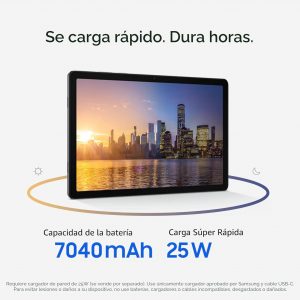
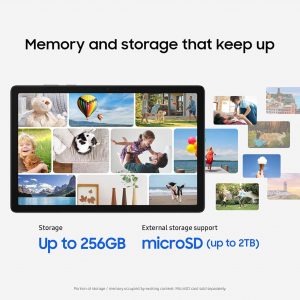
Galaxy Tab A11+ se mueve con el día de tu familia, desde el trabajo hasta el juego y en cada momento intermedio. Su brillante pantalla de 11"¹ da vida a la transmisión, la lectura y el trabajo escolar, mientras que el rendimiento mejorado² mantiene la multitarea sin problemas en todas tus aplicaciones diarias. Una batería de larga duración ayuda a todos a mantenerse alimentados a través de rutinas ocupadas, y con mucha memoria más almacenamiento ampliable, ³ hay espacio para mantener todas las fotos, juegos y archivos de tu familia juntos. Todo este poder y conveniencia tiene un valor increíble, por lo que es una opción fácil para todos los días. ¹Medido en diagonal, el tamaño de la pantalla del Galaxy Tab A11+ es de 11.0 pulgadas en el rectángulo completo y 10.9 pulgadas, lo que representa las esquinas redondeadas. El área visible real es menor debido a las esquinas redondeadas. ²En comparación con Galaxy Tab A9+. ³ La tarjeta MicroSD se vende por separado. ⁴En comparación con Galaxy Tab A9+. 5Requiere cargador de pared de 25 W (se vende por separado). Utilice solo el cargador y el cable USB-C aprobados por Samsung. Para evitar lesiones o daños a su dispositivo, no use baterías, cargadores o cables incompatibles, desgastados o dañados. Porción de almacenamiento o memoria ocupada por contenido existente. 7 Resultados con fines ilustrativos y pueden variar. Compruebe la precisión de las respuestas. Compatible con ciertas características y con ciertas cuentas. Se requiere conexión a Internet. Disponible en determinados dispositivos, idiomas y países. Solo disponible para usuarios mayores de 18 años.
Meet your go-to device for on-the-go family fun – Galaxy Tab A9+. A bright, engaging 11” Screen1 is perfect for every family member to do their thing. Whether they’re enjoying a show, unwinding with a game or catching up on schoolwork or day-to-day tasks, an upgraded chipset makes every experience feel smooth and easy. You can even open multiple apps at the same time and get all your everyday tasks done quickly. 1Measured diagonally, the Galaxy Tab A9+ screen size is 11.0” in the full rectangle and 10.9" accounting for the rounded corners. Actual viewable area is less due to the rounded corners. 2Portion of storage / memory occupied by existing content. 3MicroSD card sold separately. 4Certain applications may not support Multi-Active Windows use. 5Samsung Kids app comes pre-loaded on Galaxy Tab A9+. 6Galaxy and non-Galaxy devices: Smartphones and tablets with Android OS version 10.0 (Q) and One UI 2.1 or above, PCs running Windows 10 or later. Requires Samsung account and Wi-Fi and Bluetooth connection. Quick Share to iOS and Android devices available by sending shared link: individual files shared cannot exceed 3GB (for a total of 5GB per day) and link will expire after two days; requires a Samsung account and internet connection. Galaxy to Galaxy devices: Smartphones and tablets with Android OS version 10.0 (Q) and One UI 2.1 or above, PCs running Windows 10 and later. Requires Samsung account and Wi-Fi and Bluetooth connection between devices. 7Feature supported on mobile devices running UI 2.5 or later and TV models 2018 U7400 series or upper model. Must be logged in to the same Samsung account and be on the same Wi-Fi network. TV must be registered to SmartThings app. 8Requires devices to have One UI 2.5 or later. Devices must be logged in to the same Samsung account and be on the same Wi-Fi network.
Step up your tablet game with Galaxy Tab S10 FE Series. The perfect downtime tablets, Tab S10 FE Series gives you just the right mix of innovative Galaxy features that you need to manage your lifestyle.¹ Whether you’re working on your weekly calendar or kicking back with your favorite entertainment, you’ll have plenty of room to do what you need on their big, beautiful screens. Need to find something fast? Use Circle to Search with Google² to search anything you see on-screen in a snap, whether it’s that cool pair of shoes your favorite influencer was wearing or that tasty-looking pastry your bestie posted on their story. They’re built to last too, with IP68 water and dust resistance that make them some of the most durable tablets on the market.³ Plus, these tablets let you go for hours⁴ with powerful, fast-charging batteries⁵ that have your back. Once you have a Galaxy Tab S10 FE Series tablet, you’ll wonder how you ever lived without it. ¹Galaxy AI features by Samsung will be provided for free until the end of 2025 on supported Samsung Galaxy devices. ²Works with compatible apps. Requires internet connection; results may vary by uniqueness, clarity and framing of circled image and related factors. Accuracy of results is not guaranteed. Google is a trademark of Google LLC. ³Consistent with IP68 rating, water resistant in up to 5 feet of water for up to 30 minutes. Rinse residue/dry after wet. ⁴Based on local, 720p resolution playback, default video player (full screen), 162 nit brightness, earbud volume 7, Wi-Fi and mobile network off. Results vary with settings, usage and other factors. ⁵Requires 45W wall charger (sold separately). Use only Samsung-approved charger and USB-C cable. To avoid injury or damage to your device, do not use incompatible, worn or damaged batteries, chargers or cables.
Step up your tablet game with Galaxy Tab S10 FE+. The expansive 13.1” screen¹ brings your favorite content to life with stunning detail, whether you’re catching up on a new series, diving into your next creative project or staying on top of your to-do list. Need to look something up? Circle to Search with Google makes it easy.² Whether you see a stylish jacket in a music video or a mouthwatering dish on your feed, just circle it and let the answers come to you. Its durable IP68-rated design³ is ready for wherever the day takes you, while the included S Pen lets you write, draw and sketch with a natural, pen-on-paper feel. And with a long-lasting,⁴ fast-charging battery,⁵ you can stream, create and explore for hours without slowing down. Discover a tablet that fits your world with Galaxy Tab S10 FE+. ¹Compared to Galaxy Tab S9 FE+. Measured diagonally, the Galaxy Tab S10 FE+ screen size is 13.1” in the full rectangle and 13.0” accounting for the rounded corners. Actual viewable area is less due to the rounded corners. ²Works with compatible apps. Requires internet connection; results may vary by uniqueness, clarity and framing of circled image and related factors. Accuracy of results is not guaranteed. Google is a trademark of Google LLC. ³Consistent with IP68 rating, water resistant is up to 5 feet of water for up to 30 minutes. Rinse residue/dry after wet. ⁴Based on local, 720p resolution video playback, default video player (full screen), 162 nit brightness, earbud volume 7, Wi-Fi and mobile network off. Results vary with settings, usage and other factors. ⁵Requires 45W wall charger (sold separately). Use only Samsung-approved charger and USB-C cable. To avoid injury or damage to your device, do not use incompatible, worn or damaged batteries, chargers or cables.
Step up your tablet game with Galaxy Tab S10 FE+. The expansive 13.1” screen¹ brings your favorite content to life with stunning detail, whether you’re catching up on a new series, diving into your next creative project or staying on top of your to-do list. Need to look something up? Circle to Search with Google makes it easy.² Whether you see a stylish jacket in a music video or a mouthwatering dish on your feed, just circle it and let the answers come to you. Its durable IP68-rated design³ is ready for wherever the day takes you, while the included S Pen lets you write, draw and sketch with a natural, pen-on-paper feel. And with a long-lasting,⁴ fast-charging battery,⁵ you can stream, create and explore for hours without slowing down. Discover a tablet that fits your world with Galaxy Tab S10 FE+. ¹Compared to Galaxy Tab S9 FE+. Measured diagonally, the Galaxy Tab S10 FE+ screen size is 13.1” in the full rectangle and 13.0” accounting for the rounded corners. Actual viewable area is less due to the rounded corners. ²Works with compatible apps. Requires internet connection; results may vary by uniqueness, clarity and framing of circled image and related factors. Accuracy of results is not guaranteed. Google is a trademark of Google LLC. ³Consistent with IP68 rating, water resistant is up to 5 feet of water for up to 30 minutes. Rinse residue/dry after wet. ⁴Based on local, 720p resolution video playback, default video player (full screen), 162 nit brightness, earbud volume 7, Wi-Fi and mobile network off. Results vary with settings, usage and other factors. ⁵Requires 45W wall charger (sold separately). Use only Samsung-approved charger and USB-C cable. To avoid injury or damage to your device, do not use incompatible, worn or damaged batteries, chargers or cables.

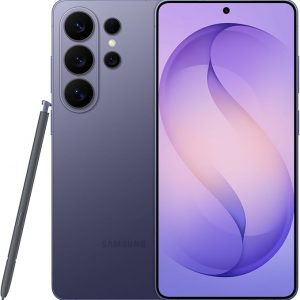
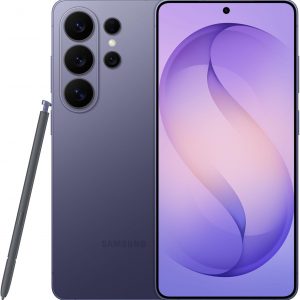

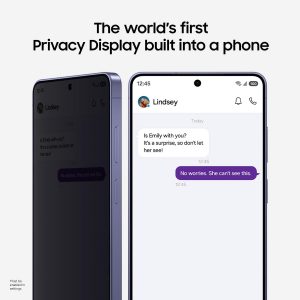
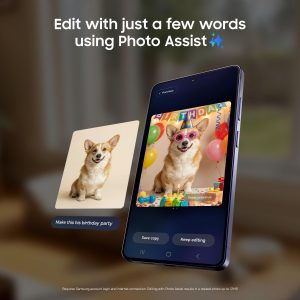


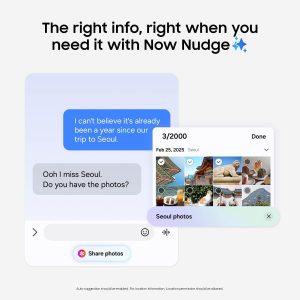


 El Galaxy S26 Ultra automatiza tu vida con la potencia del Galaxy AI.³ Evita a los espectadores no deseados con la pantalla de privacidad integrada. Se puede preajustar para que se encienda instantáneamente al recibir notificaciones, escribir contraseñas o usar aplicaciones específicas.¹ También hay Photo Assist² que edita fotos mágicamente en segundos. Rellena los elementos que faltan y mezcla naturalmente objetos con iluminación y sombras existentes con facilidad. Disparar por la noche ya no es un desafío. Nightography se ajusta en tiempo real para iluminar videos y fotos con poca luz. La función de captura de selfies más amplia obtiene la toma de grupo correcta de una sola vez. Gracias a la cámara frontal y la lente más anchas6, no necesitas estirarte todo el camino hacia atrás. También significa menos retomas. Si estás buscando generar rápidamente ilustraciones divertidas y dibujos animados en 3D para fondos de pantalla personalizados, pegatinas y más⁴, Creative Studio da vida a tus ideas. Hacer todo posible es nuestro procesador más rápido, suave y potente hasta la fecha. Acelerando las tareas diarias, Now Nudge con Galaxy AI funciona detrás de escena para priorizar aplicaciones, recordatorios y notificaciones. Tendrás la información más relevante justo cuando la necesites. Simplificando aún más tu vida, Samsung Wallet almacena de forma segura tarjetas de pago, tarjetas de embarque¹⁰ y más. Deja tu voluminosa cartera en casa. Ayudándote a mantenerte al día con las demandas diarias, el Galaxy S26 Ultra está listo para carga súper rápida 3.0. Puedes recargar en un instante para hacer más. Para aprovechar al máximo tu S26 Ultra, empareja con Galaxy Buds4 Pro11 para escuchar música como nunca antes con Hi-Res Audio.8 ¹Debe estar habilitado en la configuración. ²Requiere el inicio de sesión de la cuenta de Samsung y conexión a Internet. La edición con Photo Assist da como resultado una foto redimensionada de hasta 12MP. ³Las características básicas de Galaxy AI proporcionadas por Samsung son gratuitas. Cualquier función de IA mejorada de Samsung y todas las funciones de IA de terceros están sujetas a diferentes términos y pueden estar sujetas a tarifas. (Las características básicas de Galaxy AI se enumeran en "Inteligencia avanzada" en los Términos y condiciones de Samsung Services). ⁴Requiere una conexión a Internet/inicio de sesión de la cuenta de su. Las imágenes editadas pueden cambiar el tamaño y tendrán una marca de agua AI visible. No se garantiza la precisión y fiabilidad de la salida generada. Para obtener información sobre la ubicación, se debe permitir el permiso de ubicación. 6En comparación con la serie S25. Requiere un cargador súper rápido de 60 W (se vende por separado). La velocidad de carga depende del nivel de la batería y otros factores; use solo cargadores aprobados por Samsung; no use cargadores o cables desgastados o dañados; el cargador o cable incompatible puede causar lesiones graves o daños a su dispositivo. Requiere la configuración inicial a través de la configuración o la aplicación Dale Wear en un teléfono inteligente Galaxy/Android compatible; consulta Samsung.com para ver compatibilidad. Requiere una tarjeta NFC compatible de un banco participante. Se aplican requisitos y limitaciones específicos a cada función de la cartera de la monedera. Consulte las preguntas frecuentes sobre la cartera de samsung.com para obtener más información. ¹⁰ Se aplican requisitos y limitaciones específicos a cada función de Wallet. Consulta las preguntas frecuentes sobre la cartera de samsung.com para obtener más información. ¹¹Los productos se venden por separado.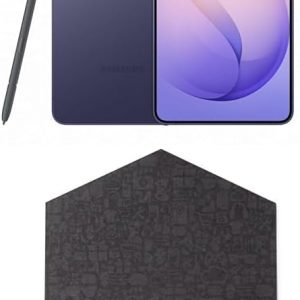
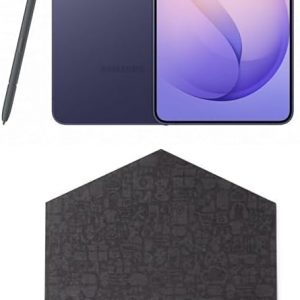
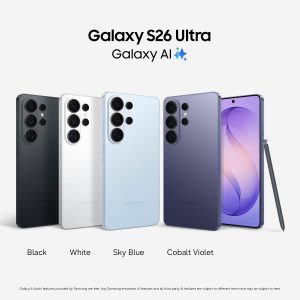
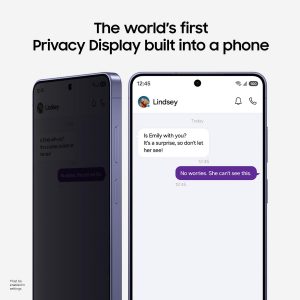
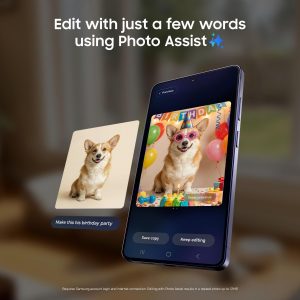


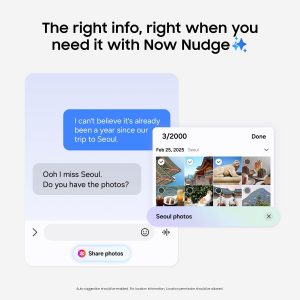
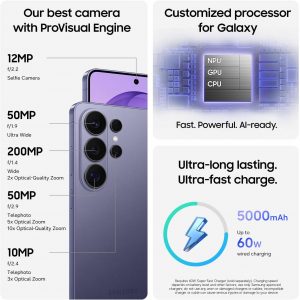

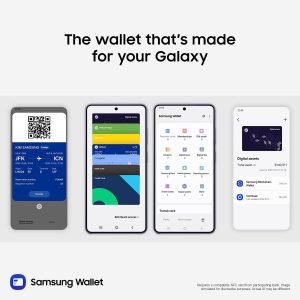
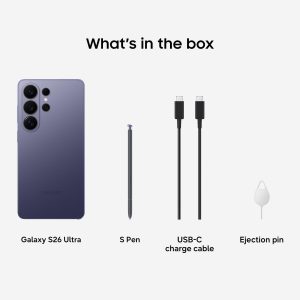 Galaxy S26 Ultra automates your life with the power of Galaxy AI.³ Prevent unwanted onlookers with the built-in privacy display. It can be preset to instantly turn on when receiving notifications, typing passwords, or using specific apps.¹ There’s also Photo Assist2, which magically edits photos in seconds. Fill in missing elements and naturally blend objects with existing lighting and shadows with ease. SShooting at night is no longer a challenge. Nightography adjusts in real time to illuminate low light videos and photos. The Wider Selfie Capture feature gets the right group shot in one go. Thanks to the wider⁶ front camera and lens, you don’t need to stretch all the way back. It also means less retakes. If you’re looking to quickly generate playful illustrations and 3D cartoons for custom wallpapers, stickers, and more4, the Creative Studio brings your ideas to life. Making everything possible is our fastest, smoothest and most powerful processor yet. Speeding up daily tasks, Now Nudge with Galaxy AI works behind the scenes to prioritize apps, reminders, and notifications. You’ll have the most relevant information⁵ right when you need it. Further simplifying your life, Samsung Wallet securely stores payment cards, boarding passes⁹, and more. Leave your bulky wallet at home. Helping you keep up with daily demands, Galaxy S26 Ultra is Super-Fast Charging 3.0 ready⁷. You can recharge in a snap to do more. To get the most out of your S26 Ultra, pair with Galaxy Buds4 Pro¹⁰ to hear music like never before with Hi-Res Audio.⁸ ¹Must be enabled in settings. ²Requires Samsung account login and internet connection. Editing with Photo Assist results in a resized photo up to 12MP. ³Galaxy AI basic features provided by Samsung are free. Any Samsung enhanced AI features and all third-party AI features are subject to different terms and may be subject to fees. (Galaxy AI basic features are listed under ""Advanced intelligence"" in Samsung Services Terms and Conditions.) ⁴Requires an internet connection / Samsung account login. Edited images may be resized and will have visible AI watermark. The accuracy and reliability of the generated output is not guaranteed. ⁵For location information, Location permission should be allowed. ⁶As compared to S25 Series. ⁷Requires 60W Super Fast Charger (sold separately). Charging speed depends on battery level and other factors; use only Samsung-approved chargers; do not use any worn or damaged chargers or cables; incompatible charger or cable can cause serious injuries or damage to your device. ⁸Requires initial setup via settings or Samsung Wear app on a compatible Galaxy/Android smartphone; see Samsung.com for compatibility. ⁹Requires a compatible NFC card from a participating bank. Specific requirements and limitations apply to each Samsung Wallet feature.See samsung.com Wallet FAQ for more information. ¹⁰Products sold separately.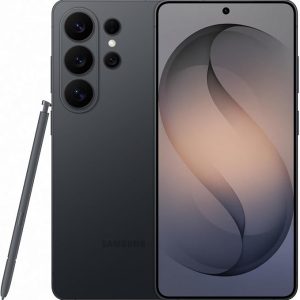
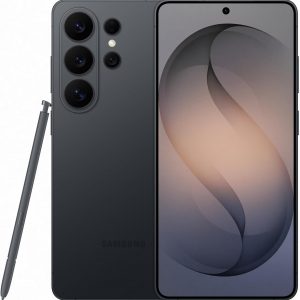
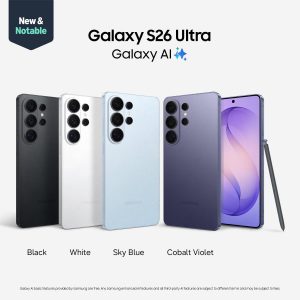
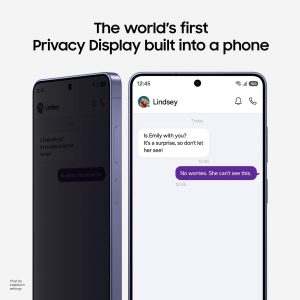
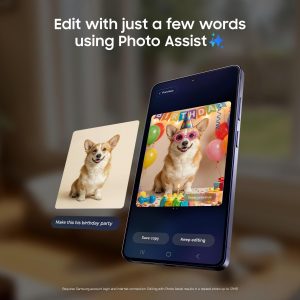

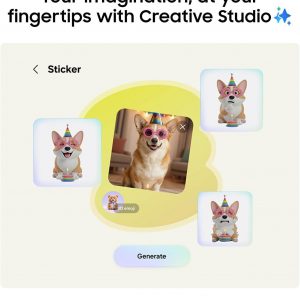
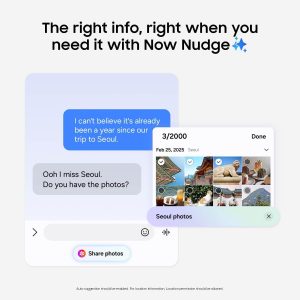
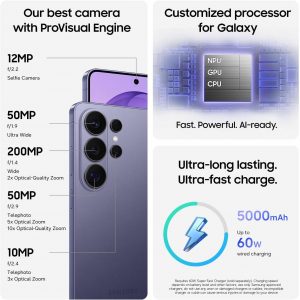

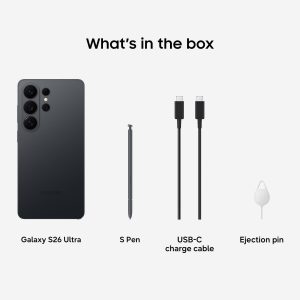
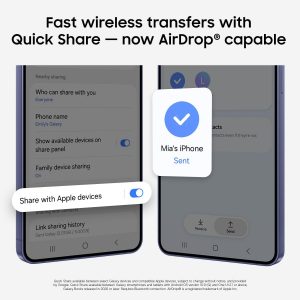 Galaxy S26 Ultra automates your life with the power of Galaxy AI.³ Prevent unwanted onlookers with the built-in privacy display. It can be preset to instantly turn on when receiving notifications, typing passwords, or using specific apps.¹ There’s also Photo Assist² which magically edits photos in seconds. Fill in missing elements and naturally blend objects with existing lighting and shadows with ease. Shooting at night is no longer a challenge. Nightography adjusts in real time to illuminate low light videos and photos. The Wider Selfie Capture feature gets the right group shot in one go. Thanks to the wider⁶ front camera and lens, you don’t need to stretch all the way back. It also means less retakes. If you’re looking to quickly generate playful illustrations and 3D cartoons for custom wallpapers, stickers, and more⁴, the Creative Studio brings your ideas to life. Making everything possible is our fastest, smoothest and most powerful processor yet. Speeding up daily tasks, Now Nudge with Galaxy AI works behind the scenes to prioritize apps, reminders, and notifications. You’ll have the most relevant information⁵ right when you need it. Further simplifying your life, Samsung Wallet securely stores payment cards⁹, boarding passes¹⁰, and more. Leave your bulky wallet at home. Helping you keep up with daily demands, Galaxy S26 Ultra is Super-Fast Charging 3.0 ready⁷. You can recharge in a snap to do more. To get the most out of your S26 Ultra, pair with Galaxy Buds4 Pro11 to hear music like never before with Hi-Res Audio.⁸ ¹Must be enabled in settings. ²Requires Samsung account login and internet connection. Editing with Photo Assist results in a resized photo up to12MP. ³Galaxy AI basic features provided by Samsung are free. Any Samsung enhanced AI features and all third-party AI features are subject to different terms and may be subject to fees. (Galaxy AI basic features are listed under ""Advanced intelligence"" in Samsung Services Terms and Conditions.) ⁴Requires an internet connection / Samsung account login. Edited images may be resized and will have visible AI watermark. The accuracy and reliability of the generated output is not guaranteed. ⁵For location information, Location permission should be allowed. ⁶As compared to S25 Series. ⁷Requires 60W Super Fast Charger (sold separately). Charging speed depends on battery level and other factors; use only Samsung-approved chargers; do not use any worn or damaged chargers or cables; incompatible charger or cable can cause serious injuries or damage to your device. ⁸Requires initial setup via settings or Samsung Wear app on a compatible Galaxy/Android smartphone; see Samsung.com for compatibility. ⁹Requires a compatible NFC card from a participating bank. Specific requirements and limitations apply to each Samsung Wallet feature. See samsung.com Wallet FAQ for more information. ¹⁰Specific requirements and limitations apply to each Samsung Wallet feature.See samsung.com Wallet FAQ for more information. ¹¹Products sold separately.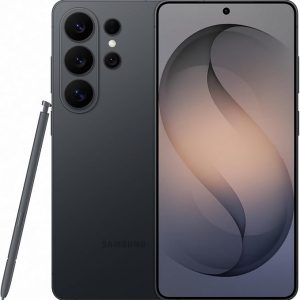
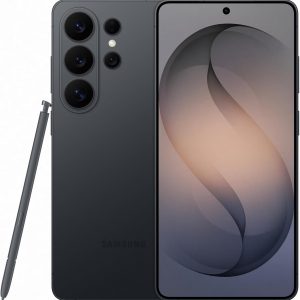
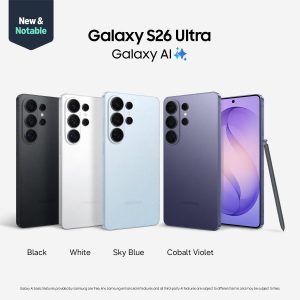
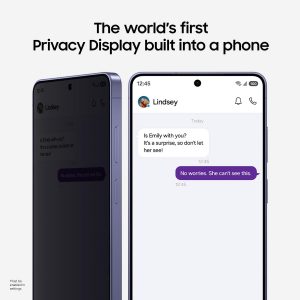
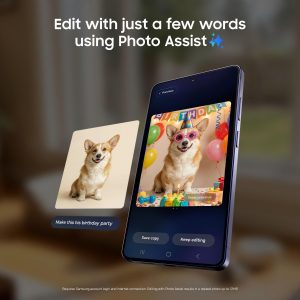


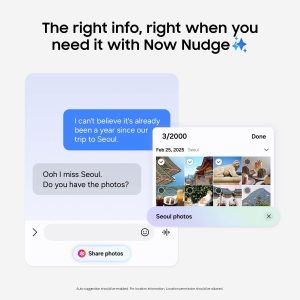


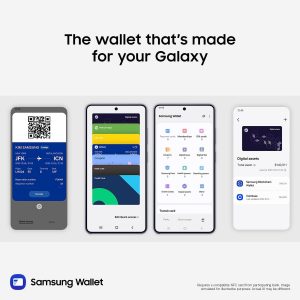
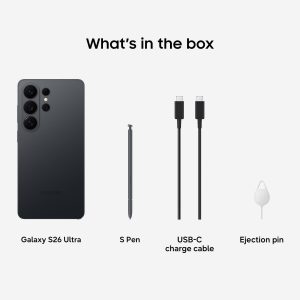 Galaxy S26 Ultra automates your life with the power of Galaxy AI.³ Prevent unwanted onlookers with the built-in privacy display. It can be preset to instantly turn on when receiving notifications, typing passwords, or using specific apps.¹ There’s also Photo Assist² which magically edits photos in seconds. Fill in missing elements and naturally blend objects with existing lighting and shadows with ease. Shooting at night is no longer a challenge. Nightography adjusts in real time to illuminate low light videos and photos. The Wider Selfie Capture feature gets the right group shot in one go. Thanks to the wider⁶ front camera and lens, you don’t need to stretch all the way back. It also means less retakes. If you’re looking to quickly generate playful illustrations and 3D cartoons for custom wallpapers, stickers, and more⁴, the Creative Studio brings your ideas to life. Making everything possible is our fastest, smoothest and most powerful processor yet. Speeding up daily tasks, Now Nudge with Galaxy AI works behind the scenes to prioritize apps, reminders, and notifications. You’ll have the most relevant information⁵ right when you need it. Further simplifying your life, Samsung Wallet securely stores payment cards⁹, boarding passes¹⁰, and more. Leave your bulky wallet at home. Helping you keep up with daily demands, Galaxy S26 Ultra is Super-Fast Charging 3.0 ready⁷. You can recharge in a snap to do more. To get the most out of your S26 Ultra, pair with Galaxy Buds4 Pro11 to hear music like never before with Hi-Res Audio.⁸ ¹Must be enabled in settings. ²Requires Samsung account login and internet connection. Editing with Photo Assist results in a resized photo up to12MP. ³Galaxy AI basic features provided by Samsung are free. Any Samsung enhanced AI features and all third-party AI features are subject to different terms and may be subject to fees. (Galaxy AI basic features are listed under ""Advanced intelligence"" in Samsung Services Terms and Conditions.) ⁴Requires an internet connection / Samsung account login. Edited images may be resized and will have visible AI watermark. The accuracy and reliability of the generated output is not guaranteed. ⁵For location information, Location permission should be allowed. ⁶As compared to S25 Series. ⁷Requires 60W Super Fast Charger (sold separately). Charging speed depends on battery level and other factors; use only Samsung-approved chargers; do not use any worn or damaged chargers or cables; incompatible charger or cable can cause serious injuries or damage to your device. ⁸Requires initial setup via settings or Samsung Wear app on a compatible Galaxy/Android smartphone; see Samsung.com for compatibility. ⁹Requires a compatible NFC card from a participating bank. Specific requirements and limitations apply to each Samsung Wallet feature. See samsung.com Wallet FAQ for more information. ¹⁰Specific requirements and limitations apply to each Samsung Wallet feature.See samsung.com Wallet FAQ for more information. ¹¹Products sold separately.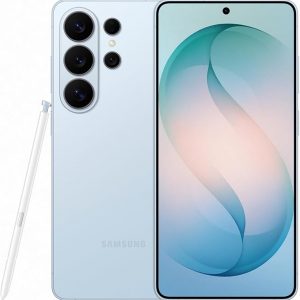
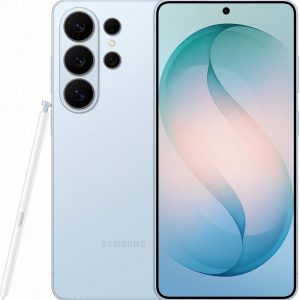
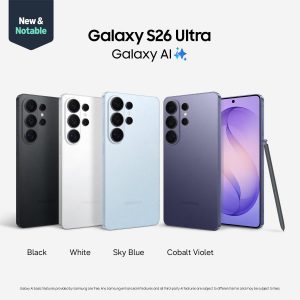
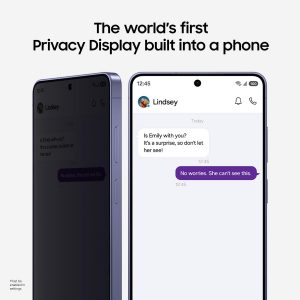
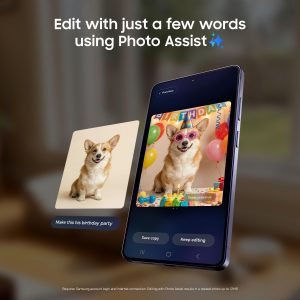


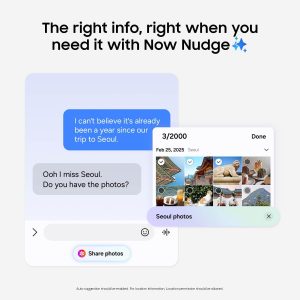
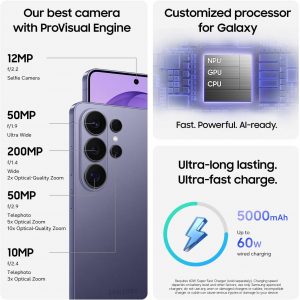

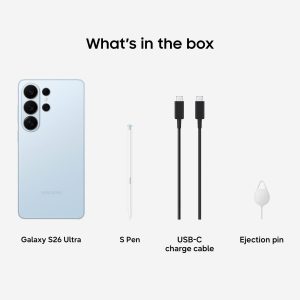 Galaxy S26 Ultra automates your life with the power of Galaxy AI.³ Prevent unwanted onlookers with the built-in privacy display. It can be preset to instantly turn on when receiving notifications, typing passwords, or using specific apps.¹ There’s also Photo Assist² which magically edits photos in seconds. Fill in missing elements and naturally blend objects with existing lighting and shadows with ease. Shooting at night is no longer a challenge. Nightography adjusts in real time to illuminate low light videos and photos. The Wider Selfie Capture feature gets the right group shot in one go. Thanks to the wider⁶ front camera and lens, you don’t need to stretch all the way back. It also means less retakes. If you’re looking to quickly generate playful illustrations and 3D cartoons for custom wallpapers, stickers, and more⁴, the Creative Studio brings your ideas to life. Making everything possible is our fastest, smoothest and most powerful processor yet. Speeding up daily tasks, Now Nudge with Galaxy AI works behind the scenes to prioritize apps, reminders, and notifications. You’ll have the most relevant information⁵ right when you need it. Further simplifying your life, Samsung Wallet securely stores payment cards⁹, boarding passes¹⁰, and more. Leave your bulky wallet at home. Helping you keep up with daily demands, Galaxy S26 Ultra is Super-Fast Charging 3.0 ready⁷. You can recharge in a snap to do more. To get the most out of your S26 Ultra, pair with Galaxy Buds4 Pro11 to hear music like never before with Hi-Res Audio.⁸ ¹Must be enabled in settings. ²Requires Samsung account login and internet connection. Editing with Photo Assist results in a resized photo up to12MP. ³Galaxy AI basic features provided by Samsung are free. Any Samsung enhanced AI features and all third-party AI features are subject to different terms and may be subject to fees. (Galaxy AI basic features are listed under ""Advanced intelligence"" in Samsung Services Terms and Conditions.) ⁴Requires an internet connection / Samsung account login. Edited images may be resized and will have visible AI watermark. The accuracy and reliability of the generated output is not guaranteed. ⁵For location information, Location permission should be allowed. ⁶As compared to S25 Series. ⁷Requires 60W Super Fast Charger (sold separately). Charging speed depends on battery level and other factors; use only Samsung-approved chargers; do not use any worn or damaged chargers or cables; incompatible charger or cable can cause serious injuries or damage to your device. ⁸Requires initial setup via settings or Samsung Wear app on a compatible Galaxy/Android smartphone; see Samsung.com for compatibility. ⁹Requires a compatible NFC card from a participating bank. Specific requirements and limitations apply to each Samsung Wallet feature. See samsung.com Wallet FAQ for more information. ¹⁰Specific requirements and limitations apply to each Samsung Wallet feature.See samsung.com Wallet FAQ for more information. ¹¹Products sold separately.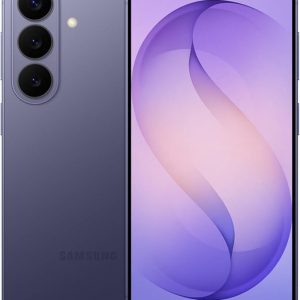
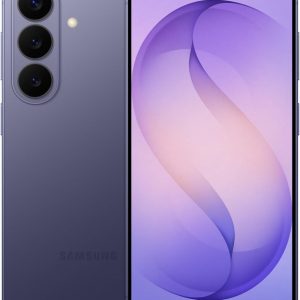
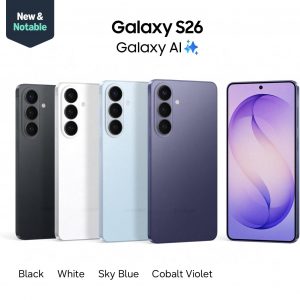
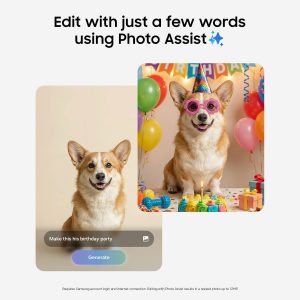

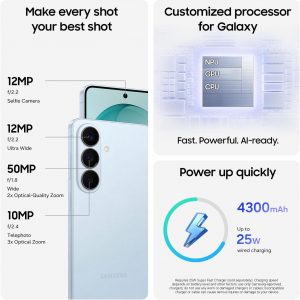
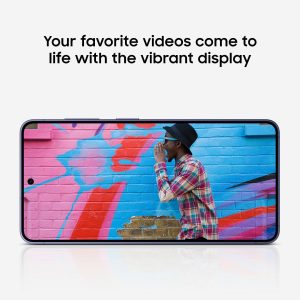

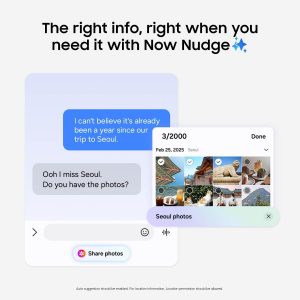
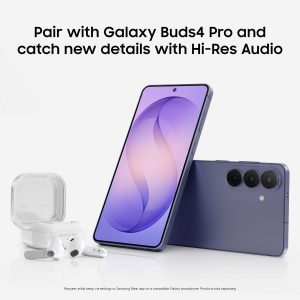
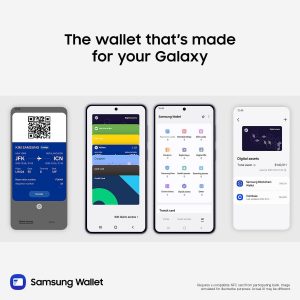
 Galaxy S26 automates your life with the power of Galaxy AI.² Photo Assist¹ magically edits photos in seconds. It fills in missing elements and naturally blends objects with existing lighting and shadows. If you’re looking to easily generate playful illustrations and 3D cartoons for custom wallpapers, stickers, and more³, the Creative Studio brings your ideas to life. Making all this possible is our fastest, smoothest and most powerful processor yet. To ensure no details are missed, the immersive display on Galaxy S26 instantly enriches colors. This makes experiences on the screen feel realistic, including taking the perfect selfie. There’s also Wider Selfie Capture to get the right group shot in one go. Thanks to the wider⁵ front camera and lens, you don’t need to stretch all the way back. It also means less retakes. Speeding up daily tasks, Now Nudge with Galaxy AI works behind the scenes to prioritize apps, reminders, and notifications.⁴ You’ll have the most relevant information right when you need it. Further simplifying your life, Samsung Wallet securely stores payment cards, boarding passes⁷, and more. Leave your bulky wallet at home. To get the most out of your S26, pair with Galaxy Buds4 Pro⁸ to hear music like never before with Hi-Res Audio.⁶ ¹Requires Samsung account login and internet connection. Editing with Photo Assist results in a resized photo up to12MP. ²Galaxy AI basic features provided by Samsung are free. Any Samsung enhanced AI features and all third-party AI features are subject to different terms and may be subject to fees. (Galaxy AI basic features are listed under "Advanced intelligence" in Samsung Services Terms and Conditions.) ³Requires an internet connection / Samsung account login. Edited images may be resized and will have visible AI watermark. The accuracy and reliability of the generated output is not guaranteed. ⁴For location information, Location permission should be allowed. ⁵As compared to S25 Series. ⁶Requires initial setup via settings or Samsung Wear app on a compatible Galaxy/Android smartphone; see Samsung.com for compatibility. ⁷Requires a compatible NFC card from a participating bank. Specific requirements and limitations apply to each Samsung Wallet feature.See samsung.com Wallet FAQ for more information. ⁸Products sold separately. **Requires initial setup via settings or Samsung Wear app on a compatible Galaxy smartphone; see Samsung.com for compatibility.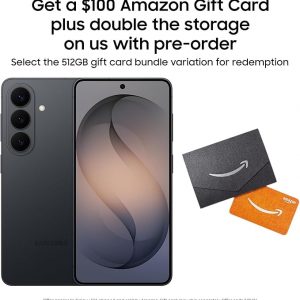
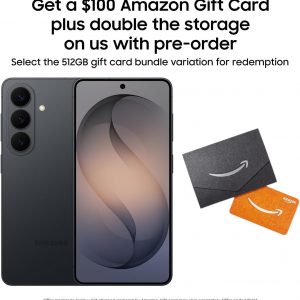
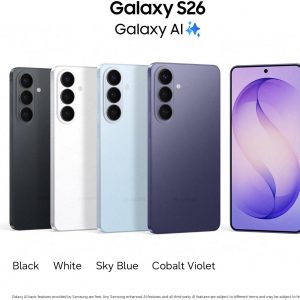
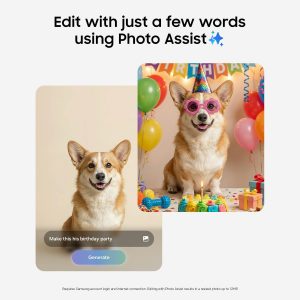

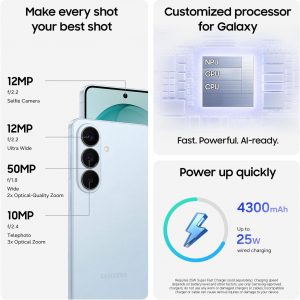




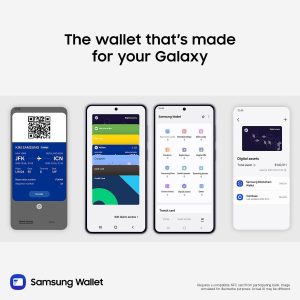
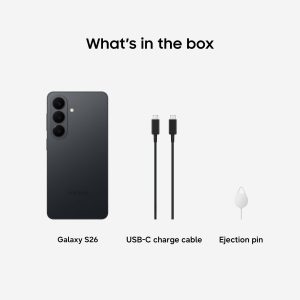 Galaxy S26 automates your life with the power of Galaxy AI.² Photo Assist¹ magically edits photos in seconds. It fills in missing elements and naturally blends objects with existing lighting and shadows. If you’re looking to easily generate playful illustrations and 3D cartoons for custom wallpapers, stickers, and more³, the Creative Studio brings your ideas to life. Making all this possible is our fastest, smoothest and most powerful processor yet. To ensure no details are missed, the immersive display on Galaxy S26 instantly enriches colors. This makes experiences on the screen feel realistic, including taking the perfect selfie. There’s also Wider Selfie Capture to get the right group shot in one go. Thanks to the wider⁵ front camera and lens, you don’t need to stretch all the way back. It also means less retakes. Speeding up daily tasks, Now Nudge with Galaxy AI works behind the scenes to prioritize apps, reminders, and notifications.⁴ You’ll have the most relevant information right when you need it. Further simplifying your life, Samsung Wallet securely stores payment cards, boarding passes⁷, and more. Leave your bulky wallet at home. To get the most out of your S26, pair with Galaxy Buds4 Pro⁸ to hear music like never before with Hi-Res Audio.⁶ ¹Requires Samsung account login and internet connection. Editing with Photo Assist results in a resized photo up to12MP. ²Galaxy AI basic features provided by Samsung are free. Any Samsung enhanced AI features and all third-party AI features are subject to different terms and may be subject to fees. (Galaxy AI basic features are listed under "Advanced intelligence" in Samsung Services Terms and Conditions.) ³Requires an internet connection / Samsung account login. Edited images may be resized and will have visible AI watermark. The accuracy and reliability of the generated output is not guaranteed. ⁴For location information, Location permission should be allowed. ⁵As compared to S25 Series. ⁶Requires initial setup via settings or Samsung Wear app on a compatible Galaxy/Android smartphone; see Samsung.com for compatibility. ⁷Requires a compatible NFC card from a participating bank. Specific requirements and limitations apply to each Samsung Wallet feature.See samsung.com Wallet FAQ for more information. ⁸Products sold separately. **Requires initial setup via settings or Samsung Wear app on a compatible Galaxy smartphone; see Samsung.com for compatibility.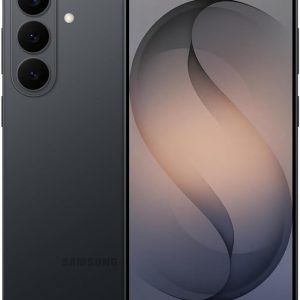
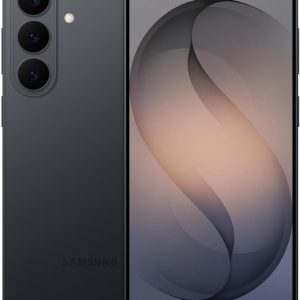
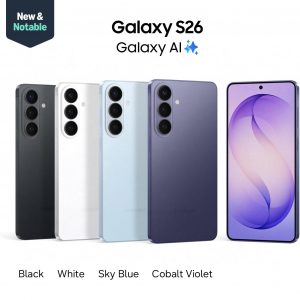
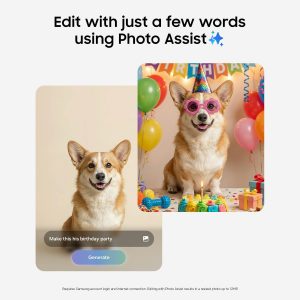

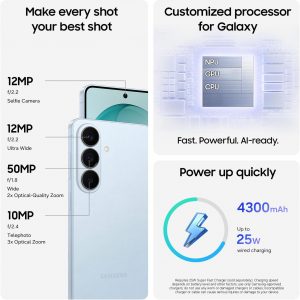
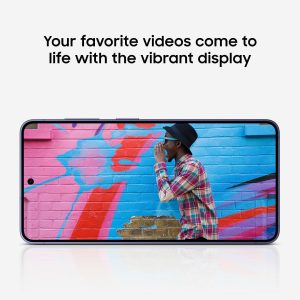

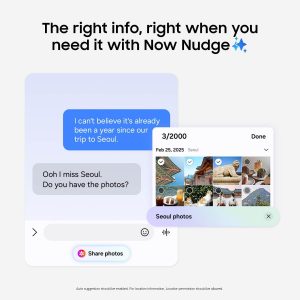
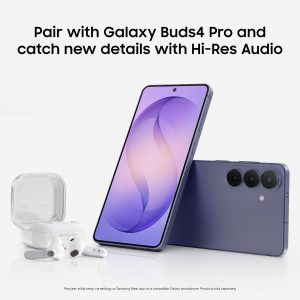
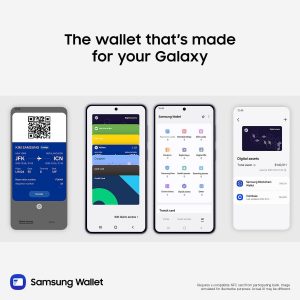
 Galaxy S26 automates your life with the power of Galaxy AI.² Photo Assist¹ magically edits photos in seconds. It fills in missing elements and naturally blends objects with existing lighting and shadows. If you’re looking to easily generate playful illustrations and 3D cartoons for custom wallpapers, stickers, and more³, the Creative Studio brings your ideas to life. Making all this possible is our fastest, smoothest and most powerful processor yet. To ensure no details are missed, the immersive display on Galaxy S26 instantly enriches colors. This makes experiences on the screen feel realistic, including taking the perfect selfie. There’s also Wider Selfie Capture to get the right group shot in one go. Thanks to the wider⁵ front camera and lens, you don’t need to stretch all the way back. It also means less retakes. Speeding up daily tasks, Now Nudge with Galaxy AI works behind the scenes to prioritize apps, reminders, and notifications.⁴ You’ll have the most relevant information right when you need it. Further simplifying your life, Samsung Wallet securely stores payment cards⁷, boarding passes⁸, and more. Leave your bulky wallet at home. To get the most out of your S26, pair with Galaxy Buds4 Pro9 to hear music like never before with Hi-Res Audio.⁶ ¹Requires Samsung account login and internet connection. Editing with Photo Assist results in a resized photo up to12MP. ²Galaxy AI basic features provided by Samsung are free. Any Samsung enhanced AI features and all third-party AI features are subject to different terms and may be subject to fees. (Galaxy AI basic features are listed under "Advanced intelligence" in Samsung Services Terms and Conditions.) ³Requires an internet connection / Samsung account login. Edited images may be resized and will have visible AI watermark. The accuracy and reliability of the generated output is not guaranteed. ⁴For location information, Location permission should be allowed. ⁵As compared to S25 Series. ⁶Requires initial setup via settings or Samsung Wear app on a compatible Galaxy/Android smartphone; see Samsung.com for compatibility. ⁷Requires a compatible NFC card from a participating bank. ⁸Specific requirements and limitations apply to each Samsung Wallet feature. See samsung.com Wallet FAQ for more information. ⁹Products sold separately. **Requires initial setup via settings or Samsung Wear app on a compatible Galaxy smartphone; see Samsung.com for compatibility.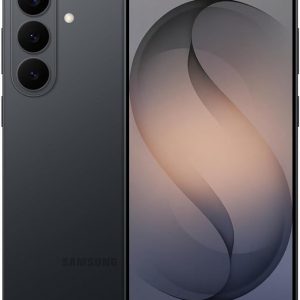
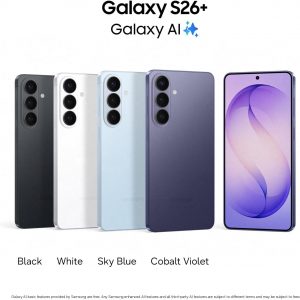
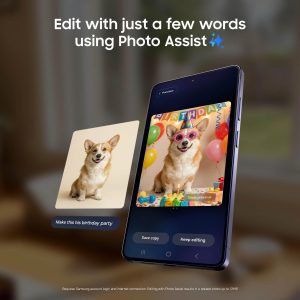

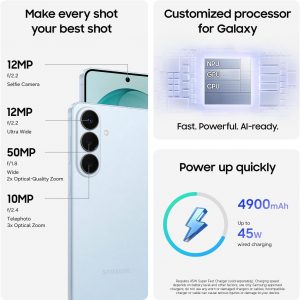
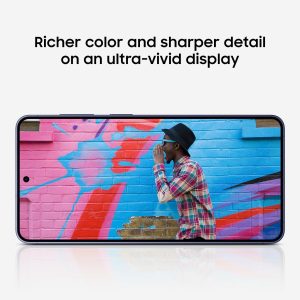

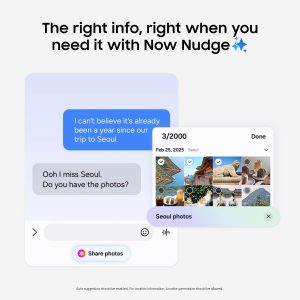
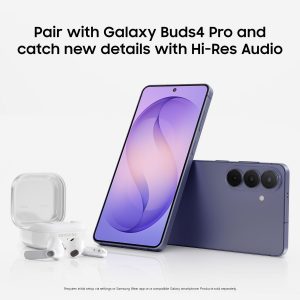
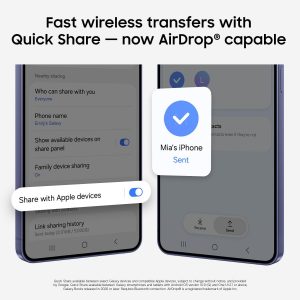
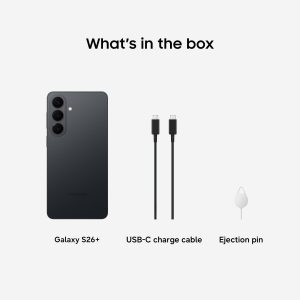 Galaxy S26+ automates your life with the power of Galaxy AI.² Photo Assist¹ magically edits photos in seconds. It fills in missing elements and naturally blends objects with existing lighting and shadows. If you’re looking to easily generate playful illustrations and 3D cartoons for custom wallpapers, stickers, and more³, the Creative Studio brings your ideas to life. Making all this possible is our fastest, smoothest and most powerful processor yet. To ensure no details are missed, the ultra-vivid display on Galaxy S26+ instantly enriches colors. This makes experiences on the screen feel realistic, including taking the perfect selfie. There’s also Wider Selfie Capture to get the right group shot in one go. Thanks to the wider⁵ front camera and lens, you don’t need to stretch all the way back. It also means less retakes. Speeding up daily tasks, Now Nudge with Galaxy AI¹ works behind the scenes to prioritize apps, reminders, and notifications.⁴ You’ll have the most relevant information right when you need it. Further simplifying your life, Samsung Wallet securely stores payment cards, boarding passes⁷, boarding passes⁸, and more. Leave your bulky wallet at home. To get the most out of your S26+, pair with Galaxy Buds4 Pro⁹ to hear music like never before with Hi-Res Audio.⁶ ¹Requires Samsung account login and internet connection. Editing with Photo Assist results in a resized photo up to12MP. ²Galaxy AI basic features provided by Samsung are free. Any Samsung enhanced AI features and all third-party AI features are subject to different terms and may be subject to fees. (Galaxy AI basic features are listed under ""Advanced intelligence"" in Samsung Services Terms and Conditions.) ³Requires an internet connection / Samsung account login. Edited images may be resized and will have visible AI watermark. The accuracy and reliability of the generated output is not guaranteed. ⁴For location information, Location permission should be allowed. ⁵As compared to S25 Series. ⁶Requires initial setup via settings or Samsung Wear app on a compatible Galaxy/Android smartphone; see Samsung.com for compatibility. ⁷Requires a compatible NFC card from a participating bank. ⁸Specific requirements and limitations apply to each Samsung Wallet feature. See samsung.com Wallet FAQ for more information. ⁹Products sold separately. **Requires initial setup via settings or Samsung Wear app on a compatible Galaxy smartphone; see Samsung.com for compatibility.

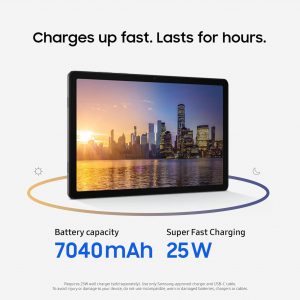
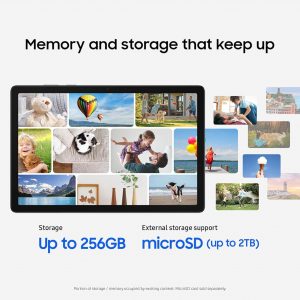
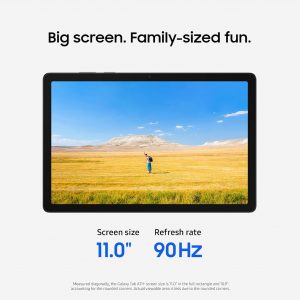

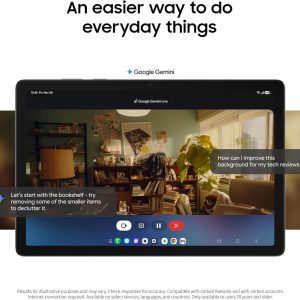
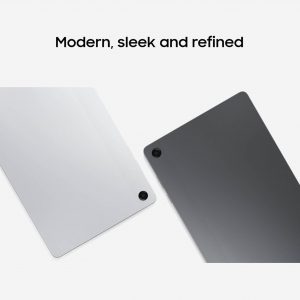
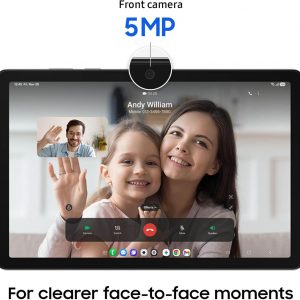
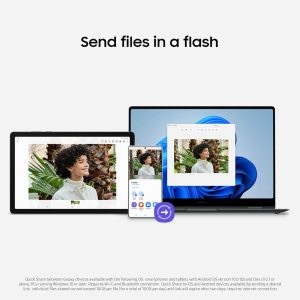
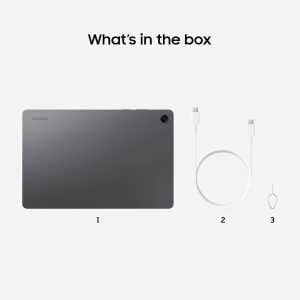 Galaxy Tab A11+ moves with your family’s day — from work to play and every moment between. Its bright 11" screen¹ brings streaming, reading and schoolwork to life while upgraded performance² keeps multitasking smooth across all your everyday apps. A long-lasting battery helps everyone stay powered through busy routines, and with plenty of memory plus expandable storage,³ there’s room to keep all your family’s photos, games and files together. All this power and convenience comes at an incredible value, making it an easy choice for every day. ¹Measured diagonally, the Galaxy Tab A11+ screen size is 11.0" in the full rectangle and 10.9" accounting for the rounded corners. Actual viewable area is less due to the rounded corners. ²Compared to Galaxy Tab A9+. ³MicroSD card sold separately. ⁴Compared to Galaxy Tab A9+. ⁵Requires 25W wall charger (sold separately). Use only Samsung-approved charger and USB-C cable. To avoid injury or damage to your device, do not use incompatible, worn or damaged batteries, chargers or cables. ⁶Portion of storage / memory occupied by existing content. ⁷Results for illustrative purposes and may vary. Check responses for accuracy. Compatible with certain features and with certain accounts. Internet connection required. Available on select devices, languages, and countries. Only available to users 18 years and older.

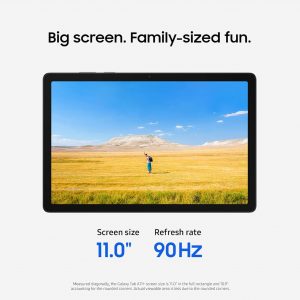

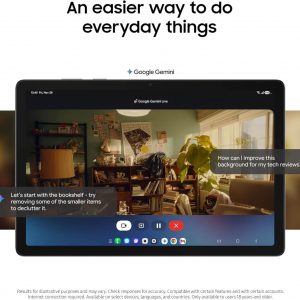
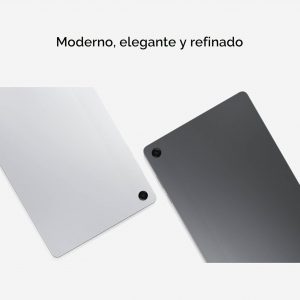
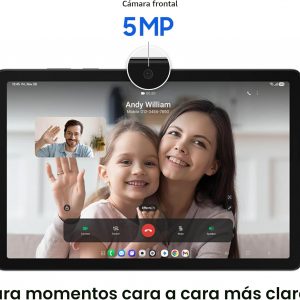
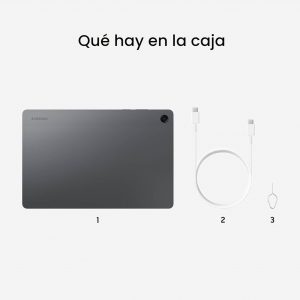 Galaxy Tab A11+ se mueve con el día de tu familia, desde el trabajo hasta el juego y en cada momento intermedio. Su brillante pantalla de 11"¹ da vida a la transmisión, la lectura y el trabajo escolar, mientras que el rendimiento mejorado² mantiene la multitarea sin problemas en todas tus aplicaciones diarias. Una batería de larga duración ayuda a todos a mantenerse alimentados a través de rutinas ocupadas, y con mucha memoria más almacenamiento ampliable, ³ hay espacio para mantener todas las fotos, juegos y archivos de tu familia juntos. Todo este poder y conveniencia tiene un valor increíble, por lo que es una opción fácil para todos los días. ¹Medido en diagonal, el tamaño de la pantalla del Galaxy Tab A11+ es de 11.0 pulgadas en el rectángulo completo y 10.9 pulgadas, lo que representa las esquinas redondeadas. El área visible real es menor debido a las esquinas redondeadas. ²En comparación con Galaxy Tab A9+. ³ La tarjeta MicroSD se vende por separado. ⁴En comparación con Galaxy Tab A9+. 5Requiere cargador de pared de 25 W (se vende por separado). Utilice solo el cargador y el cable USB-C aprobados por Samsung. Para evitar lesiones o daños a su dispositivo, no use baterías, cargadores o cables incompatibles, desgastados o dañados. Porción de almacenamiento o memoria ocupada por contenido existente. 7 Resultados con fines ilustrativos y pueden variar. Compruebe la precisión de las respuestas. Compatible con ciertas características y con ciertas cuentas. Se requiere conexión a Internet. Disponible en determinados dispositivos, idiomas y países. Solo disponible para usuarios mayores de 18 años.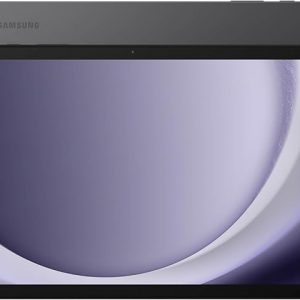
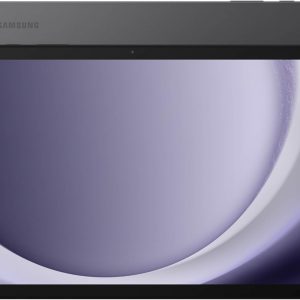



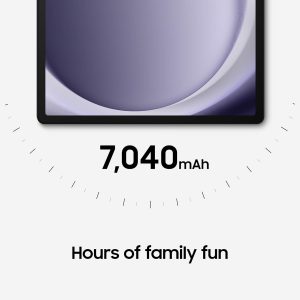
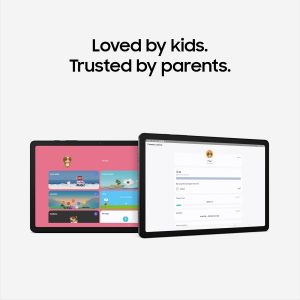
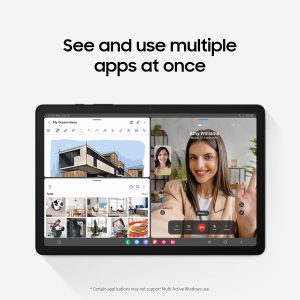
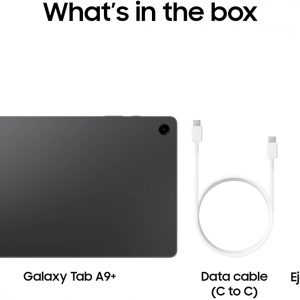
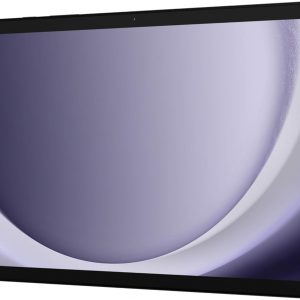
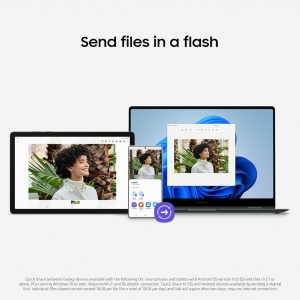
 Meet your go-to device for on-the-go family fun – Galaxy Tab A9+. A bright, engaging 11” Screen1 is perfect for every family member to do their thing. Whether they’re enjoying a show, unwinding with a game or catching up on schoolwork or day-to-day tasks, an upgraded chipset makes every experience feel smooth and easy. You can even open multiple apps at the same time and get all your everyday tasks done quickly. 1Measured diagonally, the Galaxy Tab A9+ screen size is 11.0” in the full rectangle and 10.9" accounting for the rounded corners. Actual viewable area is less due to the rounded corners. 2Portion of storage / memory occupied by existing content. 3MicroSD card sold separately. 4Certain applications may not support Multi-Active Windows use. 5Samsung Kids app comes pre-loaded on Galaxy Tab A9+. 6Galaxy and non-Galaxy devices: Smartphones and tablets with Android OS version 10.0 (Q) and One UI 2.1 or above, PCs running Windows 10 or later. Requires Samsung account and Wi-Fi and Bluetooth connection. Quick Share to iOS and Android devices available by sending shared link: individual files shared cannot exceed 3GB (for a total of 5GB per day) and link will expire after two days; requires a Samsung account and internet connection. Galaxy to Galaxy devices: Smartphones and tablets with Android OS version 10.0 (Q) and One UI 2.1 or above, PCs running Windows 10 and later. Requires Samsung account and Wi-Fi and Bluetooth connection between devices. 7Feature supported on mobile devices running UI 2.5 or later and TV models 2018 U7400 series or upper model. Must be logged in to the same Samsung account and be on the same Wi-Fi network. TV must be registered to SmartThings app. 8Requires devices to have One UI 2.5 or later. Devices must be logged in to the same Samsung account and be on the same Wi-Fi network.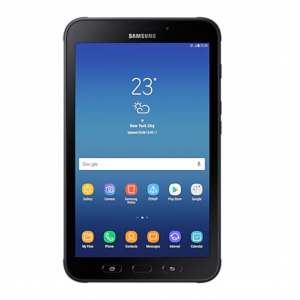
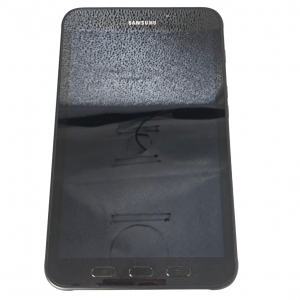
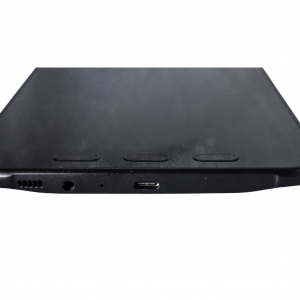
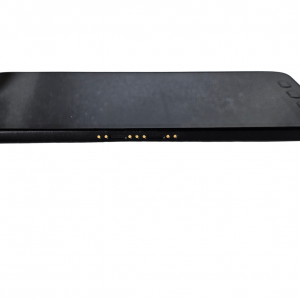
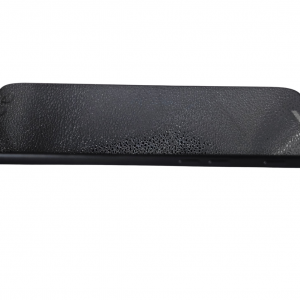
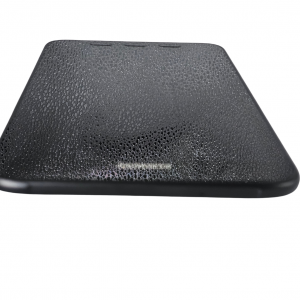
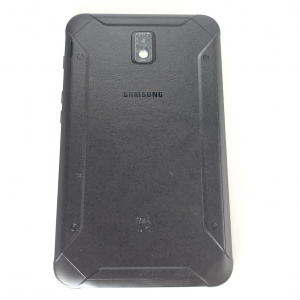 SAMSUNG GALAXY TAB ACTIVE 2 32GB 3GB WIFI+4G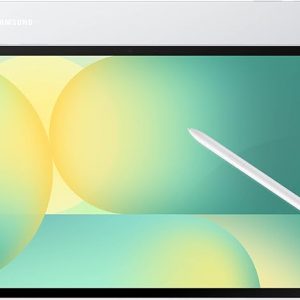


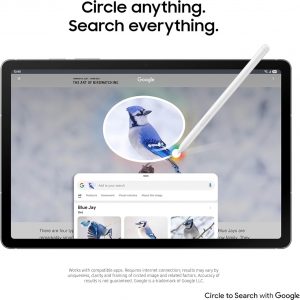
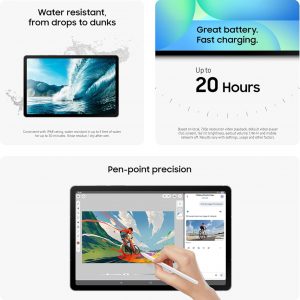
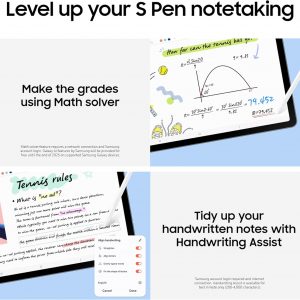



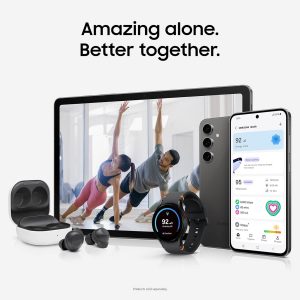
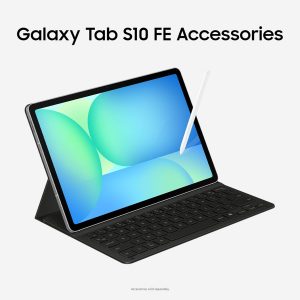
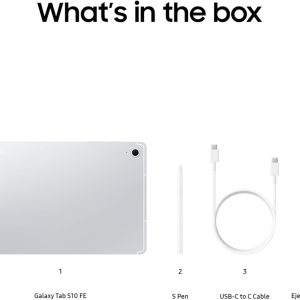 Step up your tablet game with Galaxy Tab S10 FE Series. The perfect downtime tablets, Tab S10 FE Series gives you just the right mix of innovative Galaxy features that you need to manage your lifestyle.¹ Whether you’re working on your weekly calendar or kicking back with your favorite entertainment, you’ll have plenty of room to do what you need on their big, beautiful screens. Need to find something fast? Use Circle to Search with Google² to search anything you see on-screen in a snap, whether it’s that cool pair of shoes your favorite influencer was wearing or that tasty-looking pastry your bestie posted on their story. They’re built to last too, with IP68 water and dust resistance that make them some of the most durable tablets on the market.³ Plus, these tablets let you go for hours⁴ with powerful, fast-charging batteries⁵ that have your back. Once you have a Galaxy Tab S10 FE Series tablet, you’ll wonder how you ever lived without it. ¹Galaxy AI features by Samsung will be provided for free until the end of 2025 on supported Samsung Galaxy devices. ²Works with compatible apps. Requires internet connection; results may vary by uniqueness, clarity and framing of circled image and related factors. Accuracy of results is not guaranteed. Google is a trademark of Google LLC. ³Consistent with IP68 rating, water resistant in up to 5 feet of water for up to 30 minutes. Rinse residue/dry after wet. ⁴Based on local, 720p resolution playback, default video player (full screen), 162 nit brightness, earbud volume 7, Wi-Fi and mobile network off. Results vary with settings, usage and other factors. ⁵Requires 45W wall charger (sold separately). Use only Samsung-approved charger and USB-C cable. To avoid injury or damage to your device, do not use incompatible, worn or damaged batteries, chargers or cables.
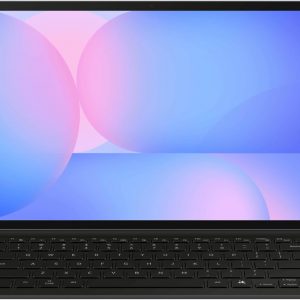

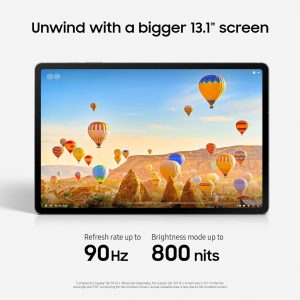

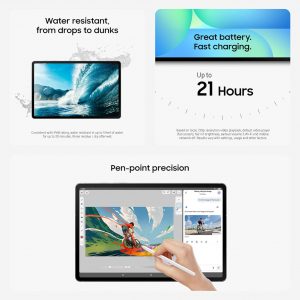
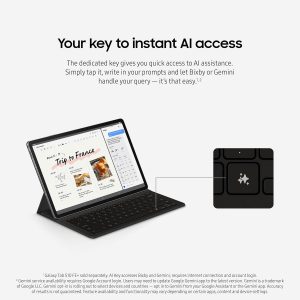

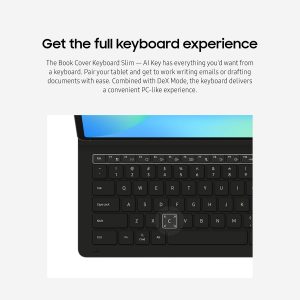
 Step up your tablet game with Galaxy Tab S10 FE+. The expansive 13.1” screen¹ brings your favorite content to life with stunning detail, whether you’re catching up on a new series, diving into your next creative project or staying on top of your to-do list. Need to look something up? Circle to Search with Google makes it easy.² Whether you see a stylish jacket in a music video or a mouthwatering dish on your feed, just circle it and let the answers come to you. Its durable IP68-rated design³ is ready for wherever the day takes you, while the included S Pen lets you write, draw and sketch with a natural, pen-on-paper feel. And with a long-lasting,⁴ fast-charging battery,⁵ you can stream, create and explore for hours without slowing down. Discover a tablet that fits your world with Galaxy Tab S10 FE+. ¹Compared to Galaxy Tab S9 FE+. Measured diagonally, the Galaxy Tab S10 FE+ screen size is 13.1” in the full rectangle and 13.0” accounting for the rounded corners. Actual viewable area is less due to the rounded corners. ²Works with compatible apps. Requires internet connection; results may vary by uniqueness, clarity and framing of circled image and related factors. Accuracy of results is not guaranteed. Google is a trademark of Google LLC. ³Consistent with IP68 rating, water resistant is up to 5 feet of water for up to 30 minutes. Rinse residue/dry after wet. ⁴Based on local, 720p resolution video playback, default video player (full screen), 162 nit brightness, earbud volume 7, Wi-Fi and mobile network off. Results vary with settings, usage and other factors. ⁵Requires 45W wall charger (sold separately). Use only Samsung-approved charger and USB-C cable. To avoid injury or damage to your device, do not use incompatible, worn or damaged batteries, chargers or cables.

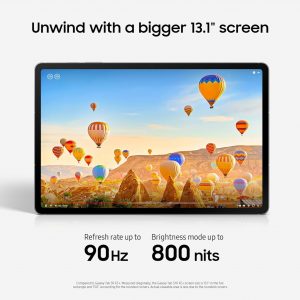
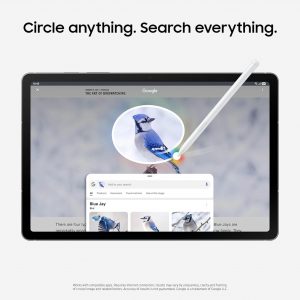
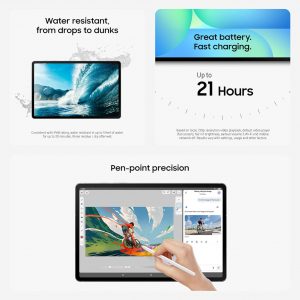

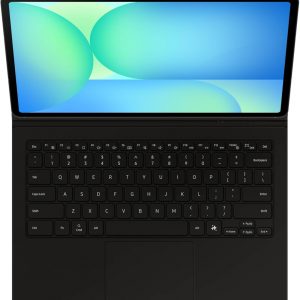
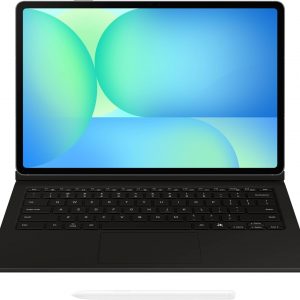
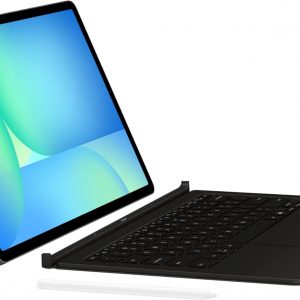
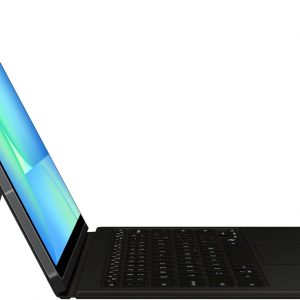
 Step up your tablet game with Galaxy Tab S10 FE+. The expansive 13.1” screen¹ brings your favorite content to life with stunning detail, whether you’re catching up on a new series, diving into your next creative project or staying on top of your to-do list. Need to look something up? Circle to Search with Google makes it easy.² Whether you see a stylish jacket in a music video or a mouthwatering dish on your feed, just circle it and let the answers come to you. Its durable IP68-rated design³ is ready for wherever the day takes you, while the included S Pen lets you write, draw and sketch with a natural, pen-on-paper feel. And with a long-lasting,⁴ fast-charging battery,⁵ you can stream, create and explore for hours without slowing down. Discover a tablet that fits your world with Galaxy Tab S10 FE+. ¹Compared to Galaxy Tab S9 FE+. Measured diagonally, the Galaxy Tab S10 FE+ screen size is 13.1” in the full rectangle and 13.0” accounting for the rounded corners. Actual viewable area is less due to the rounded corners. ²Works with compatible apps. Requires internet connection; results may vary by uniqueness, clarity and framing of circled image and related factors. Accuracy of results is not guaranteed. Google is a trademark of Google LLC. ³Consistent with IP68 rating, water resistant is up to 5 feet of water for up to 30 minutes. Rinse residue/dry after wet. ⁴Based on local, 720p resolution video playback, default video player (full screen), 162 nit brightness, earbud volume 7, Wi-Fi and mobile network off. Results vary with settings, usage and other factors. ⁵Requires 45W wall charger (sold separately). Use only Samsung-approved charger and USB-C cable. To avoid injury or damage to your device, do not use incompatible, worn or damaged batteries, chargers or cables.

 No hay productos en el carrito.