









-
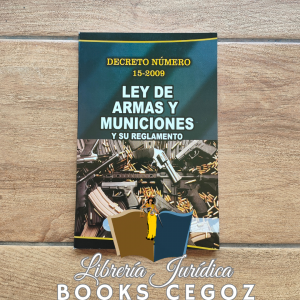
 Ley de Armas y Municiones
- Vendedor:
Librería Jurídica Books Cegoz
-
 Convenio 169 - Convenio sobre Pueblos Indígenas y Tribales en Países Independientes
- Vendedor:
Librería Jurídica Books Cegoz
-
-
 PORTALAPICES KEEPACK DISNEY MOANA
- Vendedor:
Libreria y Papeleria Montufar
-
 IKIGAI Encuentra tú propósito, vive con intensión - Dax
- Vendedor:
Fundación Ramiro Castillo Love
-
 Convención Internacional sobre la Eliminación de todas las formas de Discriminación Racial
- Vendedor:
Librería Jurídica Books Cegoz
-
 No.10 Bond Shaper™ Curl Defining Gel
- Vendedor:
CORIUM
-
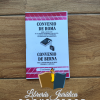 Convenio de ROMA / Convenio de BERNA
- Vendedor:
Librería Jurídica Books Cegoz
-
 Convenio de París para la Protección de la Propiedad Industrial
- Vendedor:
Librería Jurídica Books Cegoz
-
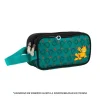 Portalápices doble Garfield
- Vendedor:
Libreria y Papeleria Montufar
-
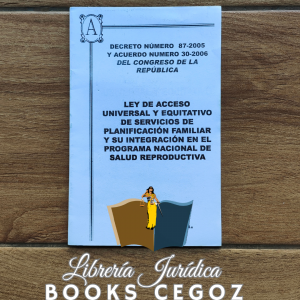
 Ley de acceso universal y equitativo de servicios de Planificación Familiar y su integración en el Programa Nacional de Salud Reproductiva
- Vendedor:
Librería Jurídica Books Cegoz
-
 Posataza - Bloque Mario
- Vendedor:
sweet n sour studio
-
-
 Convención de BELEM DO PARA
- Vendedor:
Librería Jurídica Books Cegoz
-
 PORTALAPICES KEEPACK DISNEY TOY STORY REX
- Vendedor:
Libreria y Papeleria Montufar
-
 Ley de Amparo, Exhibición Personal y de Constitucionalidad
- Vendedor:
Librería Jurídica Books Cegoz
-
 Ley de Almacenes Generales de Deposito
- Vendedor:
Librería Jurídica Books Cegoz
-
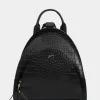 MORRAL_STEFANO_LIBERTAD
- Vendedor:
VÉLEZ
-
 Monello Dog Tradicional - 15kg
- Vendedor:
Premium Pet
-
 Convención sobre los Derechos de las Personas con Discpacidad
- Vendedor:
Librería Jurídica Books Cegoz
-
 PORTALAPICES KEEPACK DISNEY TOY STORY MARCIANO
- Vendedor:
Libreria y Papeleria Montufar
-
 Polvo de texturizar peinado IMMORTAL
- Vendedor:
Tridentium, Belleza, Salud y más
-
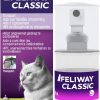 FELIWAY Classic Cat Calming Pheromone Travel Spray (20 mL)
- Vendedor:
CPX
-
 NutriSource Adulto Raza Pequeña - 12lb
- Vendedor:
Premium Pet
-
 Convención Interamericana sobre Desaparición Forzada de Personas
- Vendedor:
Librería Jurídica Books Cegoz
-
 Playera Choppers.
- Vendedor:
Yuli Creativos
-
-
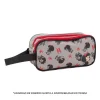 PORTALAPICES DISNEY MAFALDA
- Vendedor:
Libreria y Papeleria Montufar
-
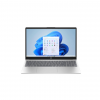 Laptop HP 15-fc0353la 15.6" FHD
- Vendedor:
Hogar Bi
-
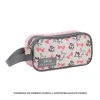 Portalápices Disney Marie doble
- Vendedor:
Libreria y Papeleria Montufar
-
 PORTALAPICES KEEPACK DISNEY MONSTER INC MIKE
- Vendedor:
Libreria y Papeleria Montufar
-
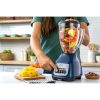 Licuadora Kaliman
- Vendedor:
Almacén El Tesoro
-


 Upgrade your Mazda original screen with Carplay and Android Auto Function, which allows you to access map navigation, phone contacts, email, notifications, music and get help from intelligent voice assistant(Siri or Google Assistant). It is compatible with Carplay Adapter for Mazda MX-5 2016-2020 year and Carplay Adapter for Mazda CX-5 2015-2020 year; It is compatible with Retrofit Kit for Mazda 2 2016-2019 year and Retrofit Kit for Mazda 6 2016-2020 year; It is compatible with Carplay and Android Auto Retrofit Kit for Mazda CX-3 2016-2019 year and Carplay and Android Auto Retrofit Kit for Mazda CX-9 2016-2020 year; It is compatible with Carplay Adapter for Mazda 3 2014-2018 year and Carplay Adapter for Mazda CX8 2016-2019 year; It is compatible with Android Auto & Carplay Adapter for FIAT 124 2017-2021 year. Note: Please confirm the software version of your car firmware system must be V70.00.21 or later before installation, if not, please upgrade the firmware first. (If you are using an older version of the CMU firmware, the CarPlay/Android Auto compatible USB hub may not be recognized. The SD card needs to be removed before upgrading the firmware, and then inserted after the upgrade is complete, otherwise GPS or navigation will not work properly.) Compatible with Original Car, Upgrade your Mazda original screen with Carplay and Android Auto Function 1.The software version of your car firmware system must be V70.00.21 or later 2.How to check your car firmware version? Click the button “Setting”-“System”-“About”- “Version Information”- “OS Version” 3.How to upgrade your car firmware system? Please refer to the upgrade method in the manual book. >To prevent noise , wrap the disconnected vehicle wiring harness connector with a piece of sponge tape( 100 x 30 mm). >The diagram shows the case when there is a single vehicle wiring harness connector. >If there are two vehicle wiring harness connectors , carry out the same procedure for both connectors. Carplay Adapter for Mazda Car Radio for Atenza Wireless CarPlay Adapter Car Radio for Honda Car Video Box
LEXXSON Carplay Adapter Compatible with Mazda 2/3/6/CX3/CX5/CX9/MX5 2014-2021 Year, Fit for Carplay & Android Auto, TK78-66-9U0C OEM Hub Retrofit Kit for Mazda Connect System
Q835.80 -
Nuevo
-
Nuevo
-
Nuevo
-
Nuevo